
After entering the My Profile page, you can modify the following: 1. Profile picture: Click the "pencil icon" in the bottom right corner of your profile picture to upload a new image. 2. Login email: Click "Login Email" in the ACCOUNT section and follow the on-screen instructions to enter a new email and save. 3. Password: Click "Password" in the ACCOUNT section and follow the on-screen instructions to enter a new password and save. 4. Name / Phone Number / Job Title / Timezone: Click the corresponding "Name", "Phone Number", "Job Title", or "Timezone" in the BASIC INFO section, enter the new information and confirm to save.
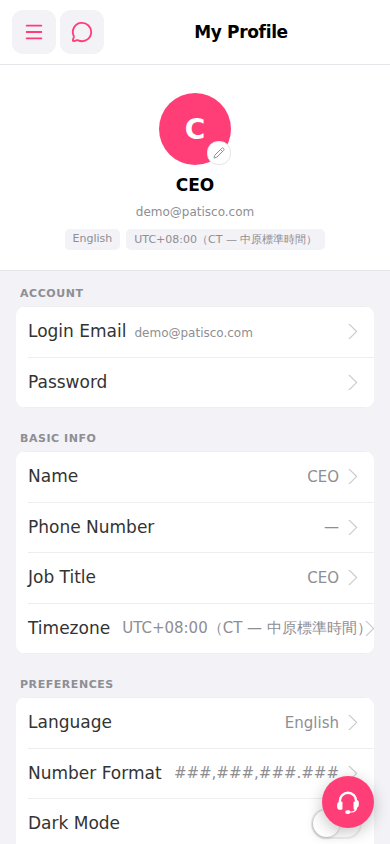 手機版|My Profile