
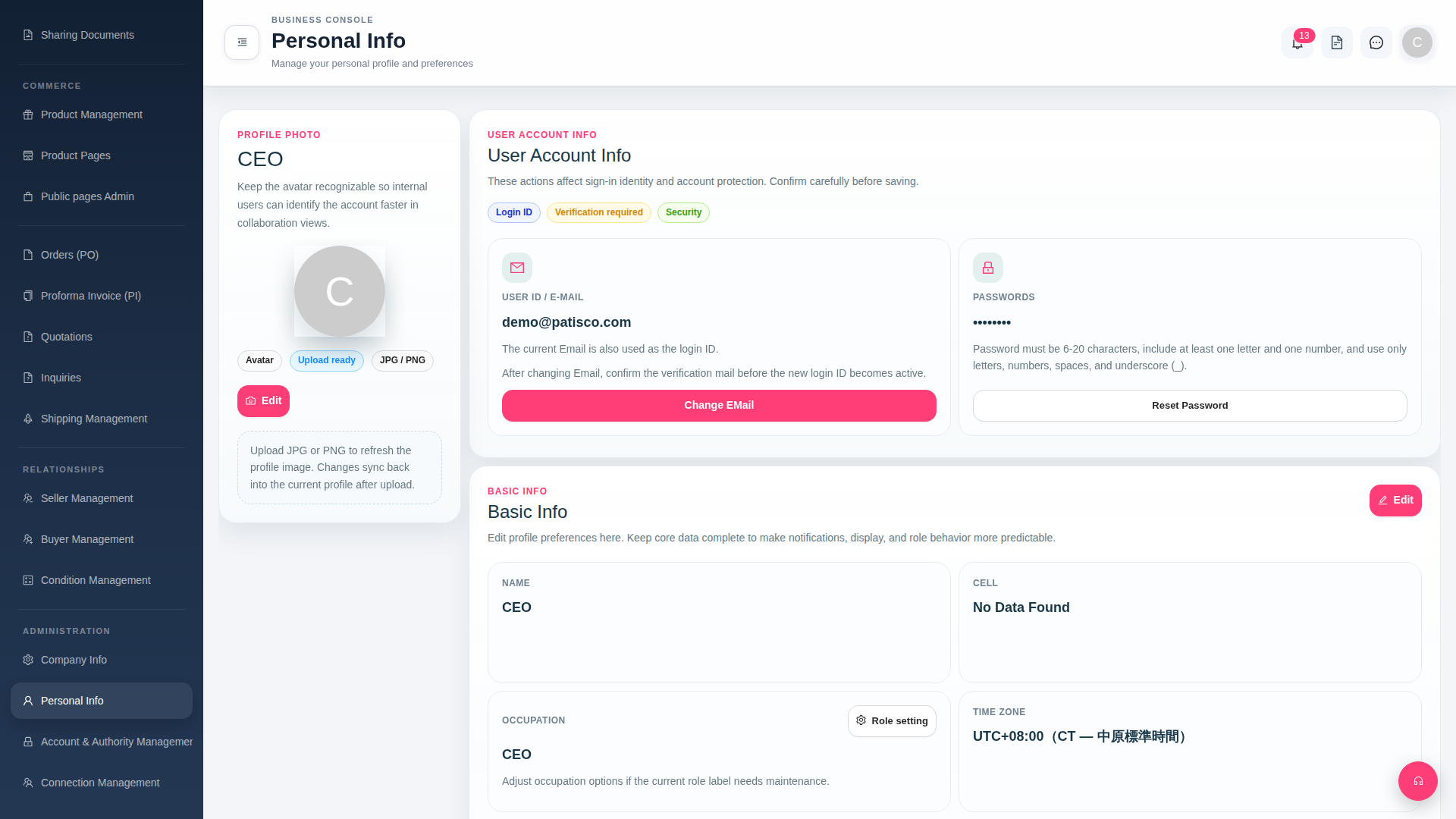
1. In the left sidebar, find the "ADMINISTRATION" section and click "Personal Info" to access the personal information page (page title: "Personal Info"). 2. On this page, you can modify the following: - Avatar: Click the "Upload ready" button to upload a JPG or PNG image. - Login Email: Click the "Change EMail" button, enter a new email address, and complete verification in your mailbox. - Password: Click the "Reset Password" button and follow the instructions to reset your password (must be 6–20 characters and contain at least one letter and one number). - Basic Information (Name, Phone, Job Title, Time Zone): Click the "Edit" button in the upper right of the Basic Info section, fill in the information, and save. - Occupation Role Tags: Click the "Role setting" button next to the OCCUPATION field to configure.
 G4 桌面版|Personal Info