
【Add Buyer】 1. Click the "Add Buyer" button on the top left of the list. 2. Fill in the buyer information and submit to create a new buyer account.
【Search Buyer】 1. Enter the company name in the search bar. 2. Click the blue search icon on the right side of the search bar to filter out matching buyers.
【Batch Delete】 1. Check the checkboxes on the left side of the list to select buyers to delete. 2. Click the "Batch Delete" button to complete the batch deletion.
【Sync or Terminate Invitation】 - For buyers with "Uninvited" status, you can click the cycling icon on the right side of that row to sync the business card or send an invitation. - For buyers with "Accepted" status, you can click the prohibition icon on the right side of that row to terminate the invitation relationship.
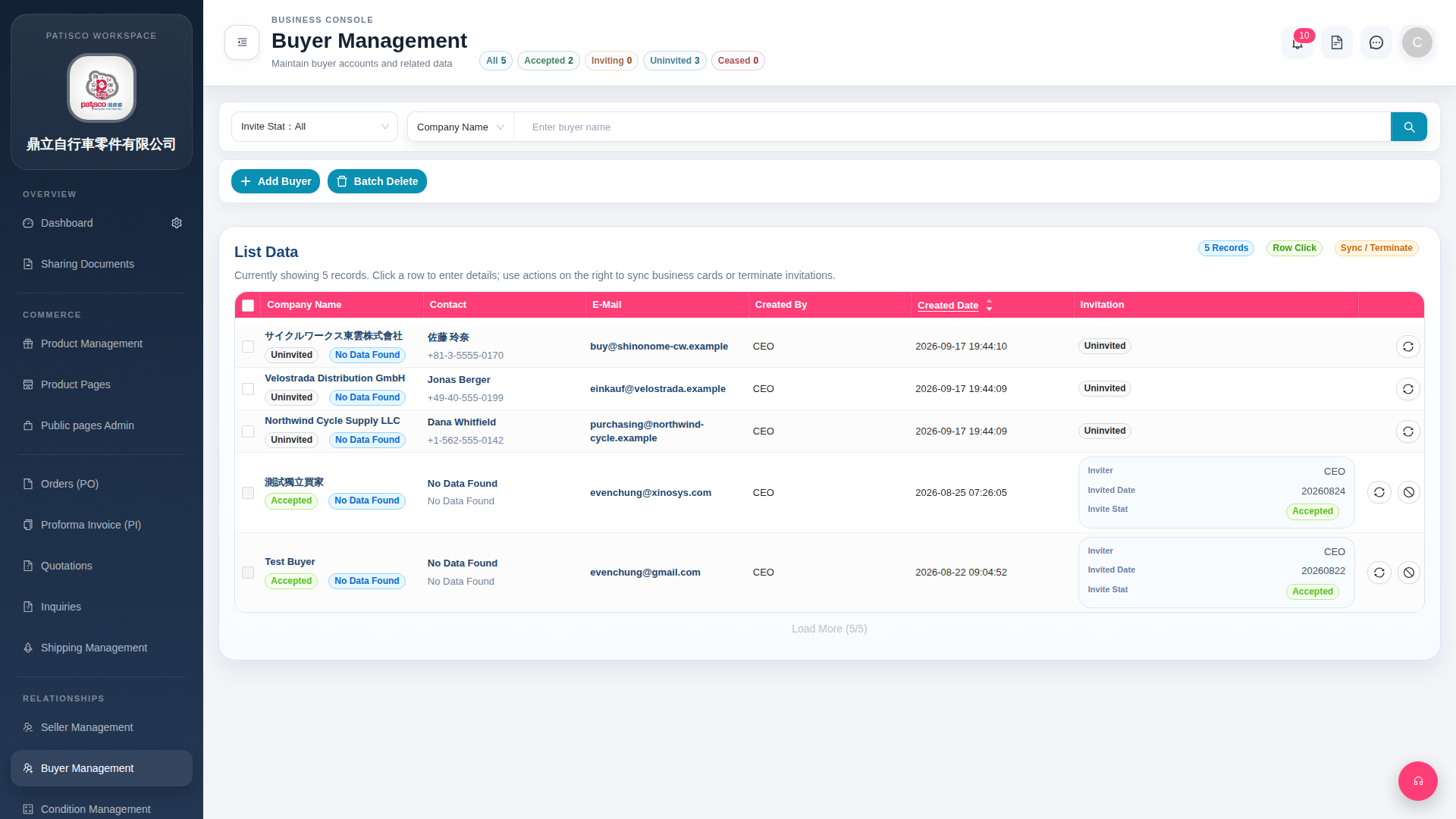 G4 桌面版|Buyer Management