
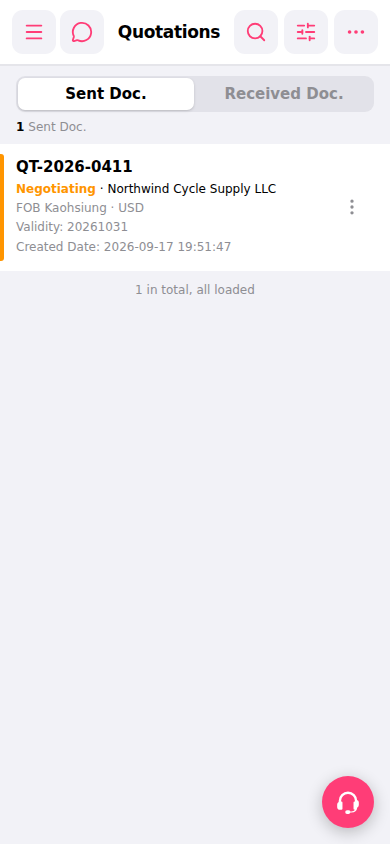
1. Search: Click the magnifying glass icon at the top right, enter keywords (such as quotation number or customer name) to search. 2. Filter: Click the filter (adjustment icon) at the top right, set conditions such as status and date range, then apply. 3. Single quotation operations: Find the quotation you want to process and click the "⋮" menu on the right side of that list item to select functions such as edit, copy, or delete. 4. Add new quotation: Click "⋯" at the top right to expand more options and select the add function.
 手機版|報價單管理(Quotations)