
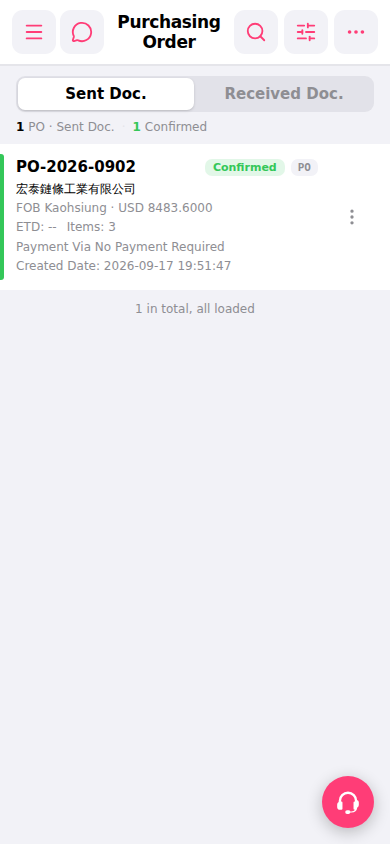
1. Open Patisco on mobile and enter the "Purchasing Order" page (URL: mobile.patisco.com/main/po). 2. The page defaults to the "Sent Doc." tab, displaying a list of purchase orders you have sent. 3. Each order card displays: PO Number, supplier name, trading terms (FOB), amount (USD), ETD (estimated shipment date), Items (number of items), Payment Via, Created Date, and Status. 4. To view purchase orders received from the other party, click the "Received Doc." tab on the right side of the tab list at the top of the page.
 手機版|Purchasing Order(採購訂單)