
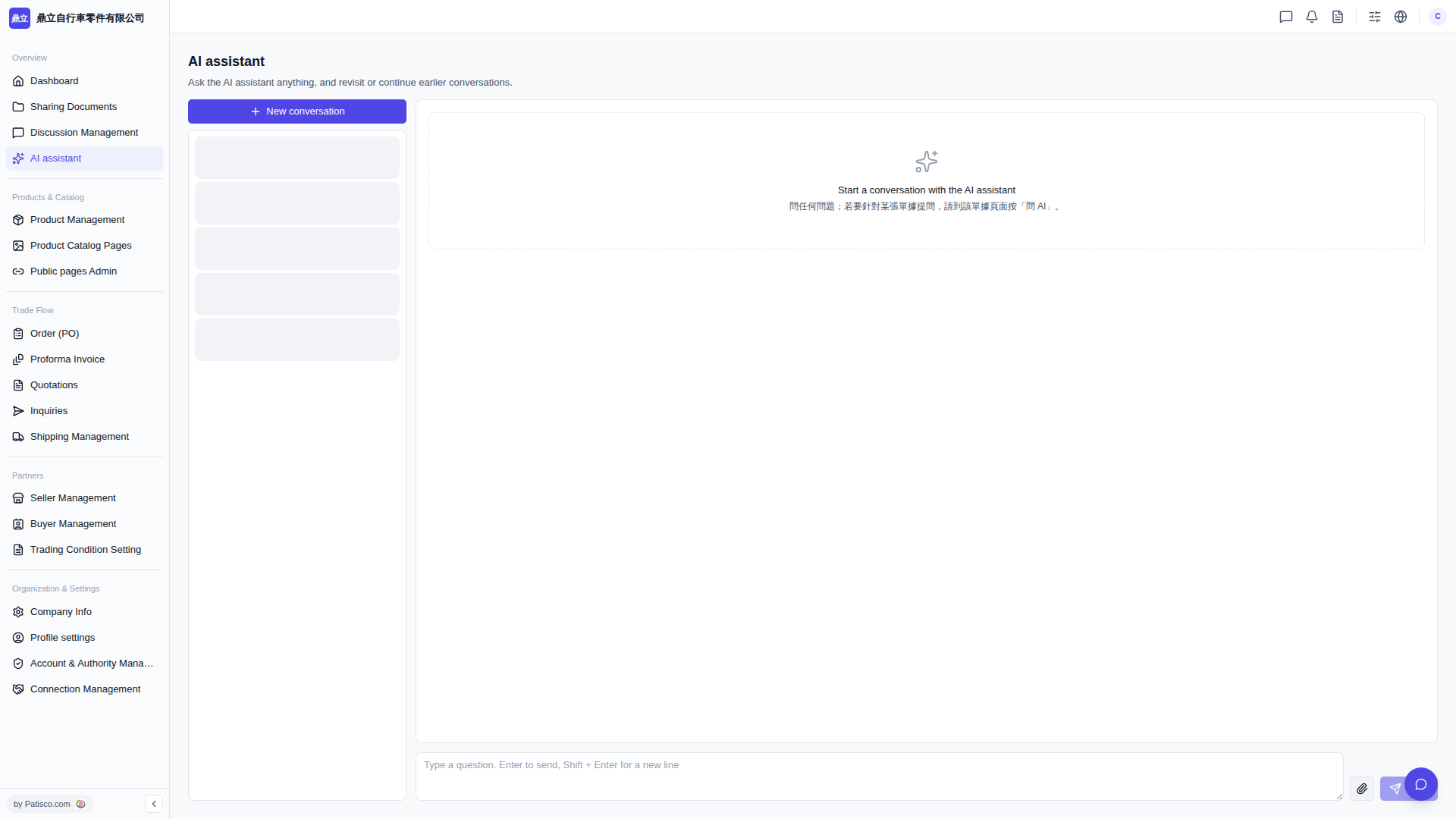
1. Go to Patisco V5 desktop in your browser and click on "AI assistant" in the navigation at the top or side. 2. Click the "+ New conversation" button at the top of the conversation list on the left to open a new chat window. 3. Type the question you want to ask in the message input box on the right side. 4. Press "Enter" to send, or press "Shift + Enter" to create a new line and continue typing before sending. 5. The AI assistant will reply to your question in the main area on the right; conversation history is preserved in the list on the left and can be reviewed anytime by clicking.
 V5 新桌面版|AI assistant