
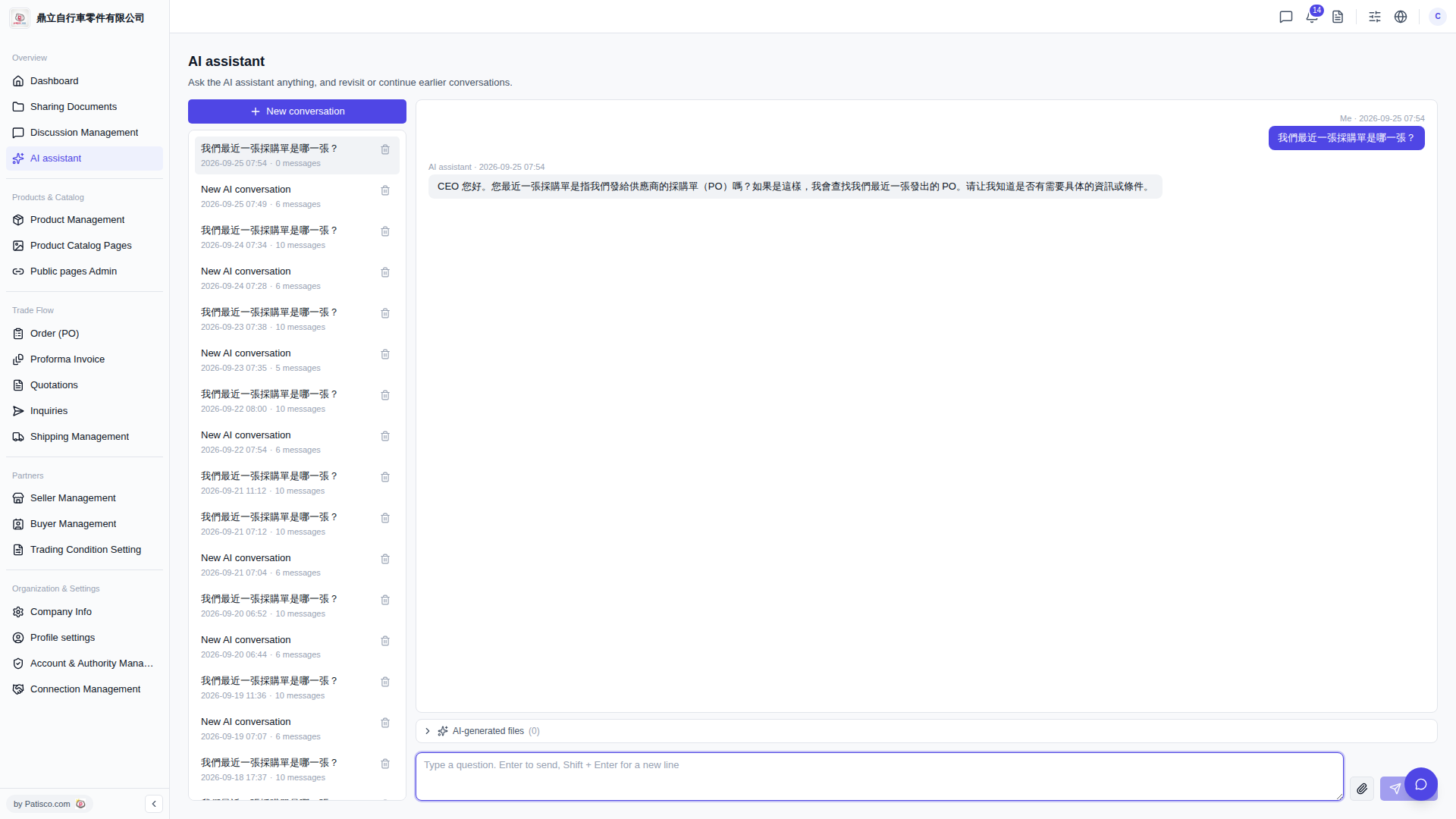
1. After entering Patisco V5, click the "+ New conversation" button at the top of the conversation list on the left side to start a new AI conversation. 2. In the question input box at the bottom right of the page, type the question you want to ask. 3. Press Enter to send the question (to add a line break first, press Shift + Enter); you can also click the "Send (paper plane icon)" on the right side of the input box to submit. 4. The AI assistant's response will appear in the main conversation area, and you can continue typing follow-up questions in the input box.
You can ask like this: "What was our most recent PO?" The AI might respond: "Hello CEO. You're asking about the most recent PO we sent to our suppliers, correct? If so, I'll look up the latest PO we issued. Please let me know if you need any specific information or conditions."
 V5 新桌面版|AI assistant