
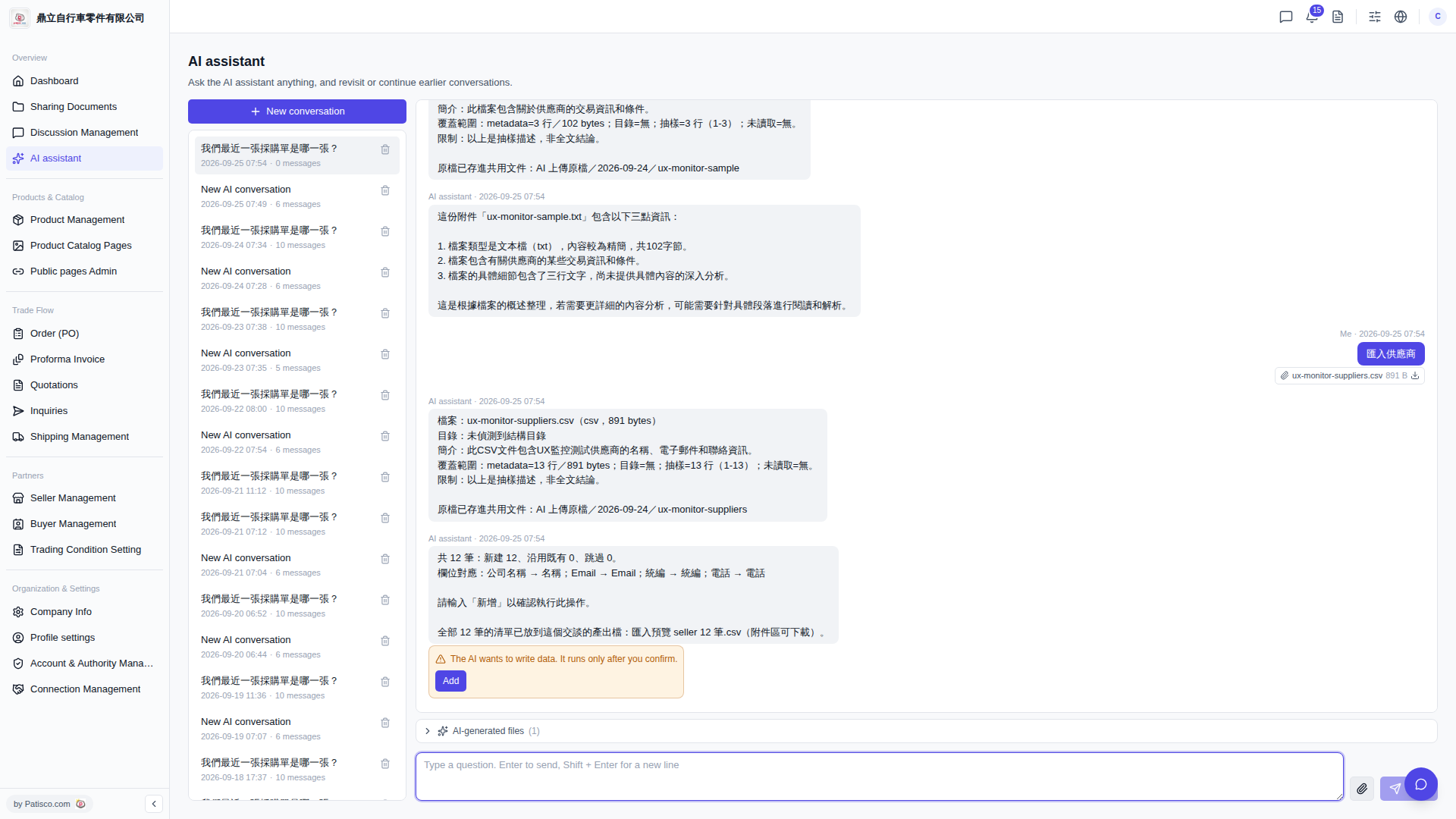
1. Wait for the AI assistant to complete the data import (after clicking "Add" to confirm). 2. Find the "AI-generated files (1)" button at the bottom of the conversation content area and click it to expand the file list. 3. Find the file generated by the AI (for example, "seller 12 records.csv") and click it to download to your local computer.
Tip: If you need to view the output files from a historical conversation, you can switch to the corresponding conversation in the left conversation list and then expand the "AI-generated files" section to view them.
 V5 新桌面版|AI assistant