
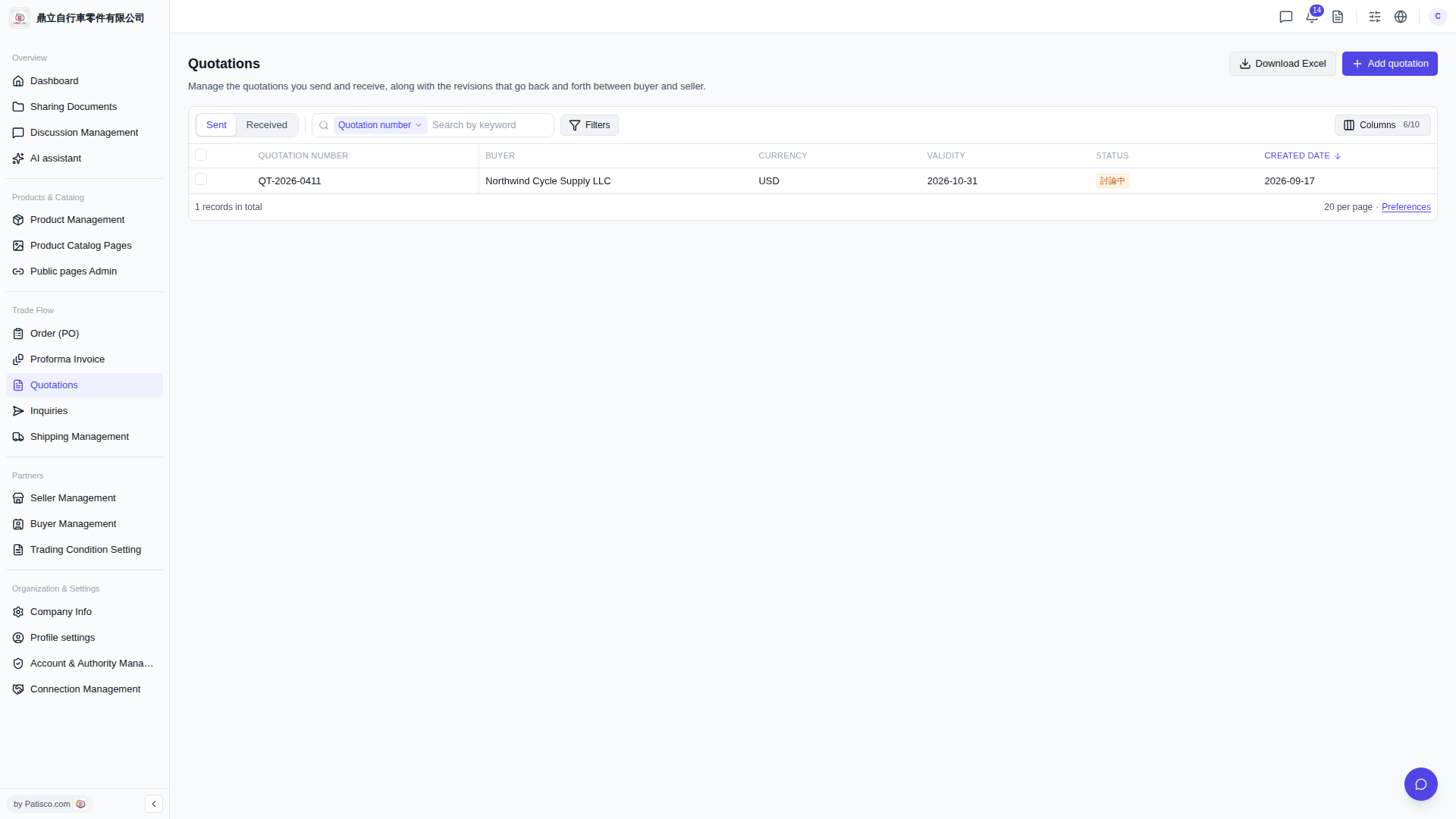
1. Click the dropdown menu on the left side of the search bar ("Quotation number" is displayed by default) and select the field you want to search. 2. Enter a keyword in the search box and press Enter. The list will automatically filter the results. 3. For more complex conditions, click "Filters" on the right side of the search bar to expand advanced filter settings. 4. Once you find the target, click the quotation number in the list (for example, QT-2026-0411) to enter the detailed page to view or edit. 5. If you want to customize which columns are displayed in the list, click "Columns 6/10" in the top right corner of the list to adjust (currently showing 6 of 10 available columns).
 V5 新桌面版|Quotations(報價單管理)