
Changing your password: 1. Go to the "My Profile" page. 2. Click the "Password" row in the ACCOUNT section. 3. In the editing screen, enter your old and new passwords as instructed and save.
Toggling dark mode: 1. Scroll down to the PREFERENCES section on the same page. 2. Click the toggle switch on the right side of "Dark Mode" to enable or disable it.
> For customer support, click the headphone icon in the bottom right corner of the page to open customer support.
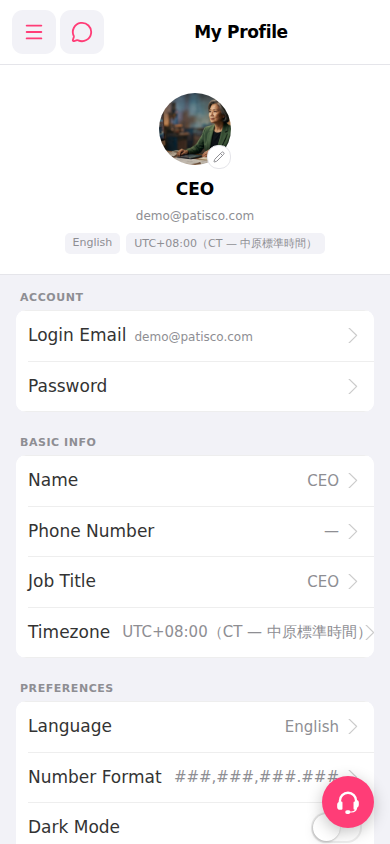 手機版|My Profile