
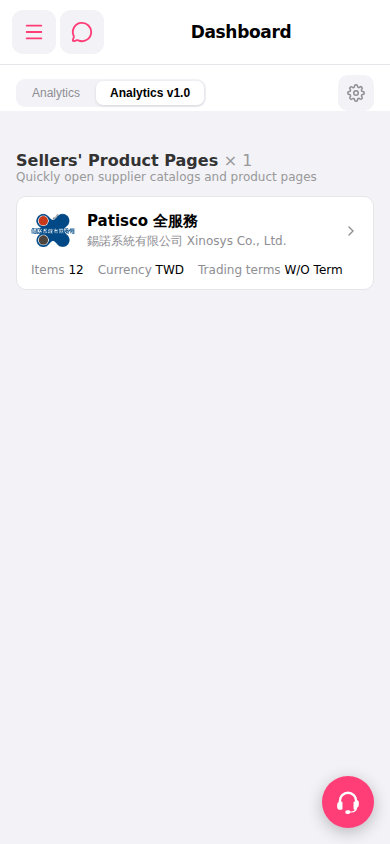
After entering the mobile Dashboard, you can operate as follows: 1. The screen displays the content of the "Analytics v1.0" tab by default. To switch to the old version of analytics, click the "Analytics" tab at the top. 2. In the "Sellers' Product Pages" section, you can see supplier cards that have been linked (such as "Patisco Full Service"). Click the ">" arrow on the right side of a card to enter that supplier's product catalog page. 3. Click the "⚙️" (settings gear) in the top right to adjust the Dashboard display settings. 4. Click "≡" (hamburger menu) in the top left to expand the side navigation and jump to other feature pages. 5. To contact support, click the "🎧" (headphone) button floating in the bottom right to open the support chat.
 手機版|Dashboard(儀表板)