
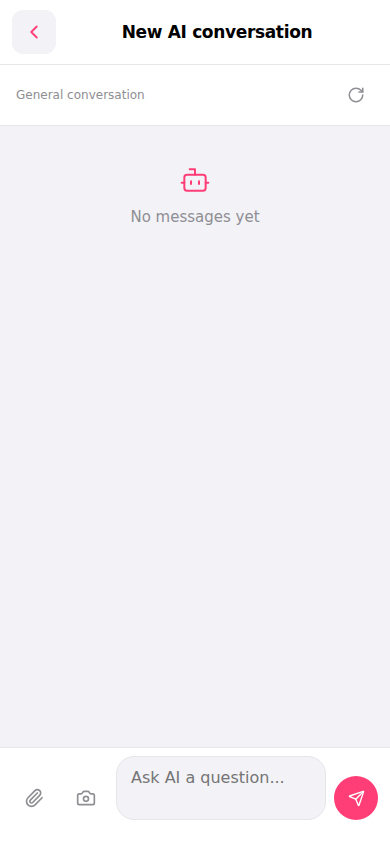
Yes, there are two upload options in the input bar at the bottom: 1. Upload attachment files: Click the first "paperclip icon" on the left side of the input box and select the file to upload. 2. Upload images or take photos: Click the second "camera icon" on the left side of the input box and choose to take a photo or select an image from your photo library. 3. After selecting the file or image, click the pink paper plane button on the right to send them together.
Additional notes: To clear the current conversation and start fresh, click the "refresh (↺)" icon in the top right corner. To exit the AI conversation page, click the "back (<)" button in the top left corner.
 手機版|New AI conversation