
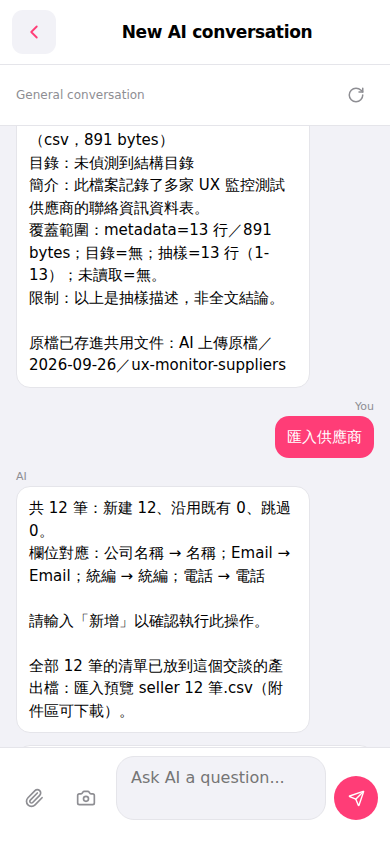
1. After the AI completes execution, the conversation will display import statistics, for example: "Total 12 records: 12 new created, 0 reused existing, 0 skipped". 2. At the same time, an import preview CSV file will appear in the attachment area (for example "Import preview seller 12 records.csv"). Click the filename to download it. 3. After downloading, you can open the file to verify the import details line by line.
💬 You can ask the AI like this: "Import suppliers (12 rows csv)" 🤖 The AI will respond like this: "Import suppliers AI total 12 records: 12 new created, 0 reused existing, 0 skipped. Field mapping: Company Name → Name; Email → Email; Registration ID → Registration ID; Phone → Phone. Please type 'Add' to confirm this operation. The list of all 12 records has been placed in the output file of this conversation: Import preview seller 12 records.csv (downloadable from attachment area)."
 手機版|New AI conversation