
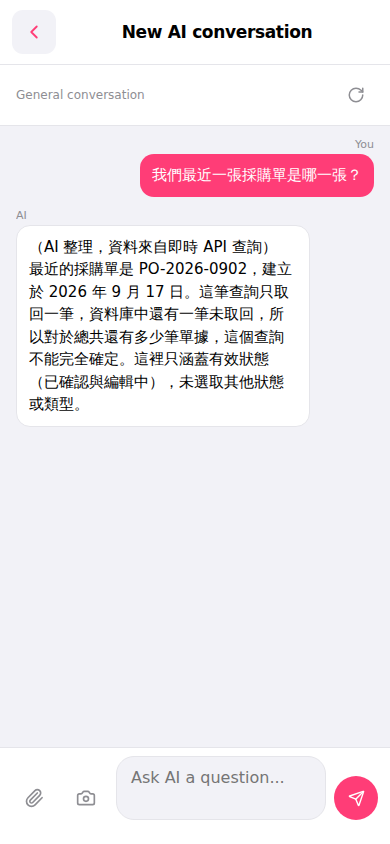
1. Open Patisco on the mobile version and go to the AI conversation page (the page title shows "New AI conversation"). 2. Click the input box at the bottom "Ask AI a question..." and type the question you want to search for. 3. Click the pink send button on the right side of the input box to send the question. 4. Wait a moment and the AI will reply with real-time query results, such as order numbers, dates, status and other information. 5. If you want to ask a follow-up question, simply type it in the input box and send it.
You can ask: "What is our most recent PO?" The AI will respond like: "The most recent PO is PO-2026-0902, created on September 17, 2026. This only covers effective statuses (Confirmed and Editing), other statuses or types are not selected."
 手機版|New AI conversation