
1. Click "AI assistant" in the left sidebar to enter the AI assistant page. 2. To start a new conversation, click the blue "+ New conversation" button in the top left. 3. To continue a previous conversation, click the target conversation record in the conversation list on the left. 4. Type your question in the message input box at the bottom right of the page and press Enter to send (to create a new line, press Shift + Enter). 5. AI will automatically query system data and respond. The response will indicate "Real-time API query" and other data sources.
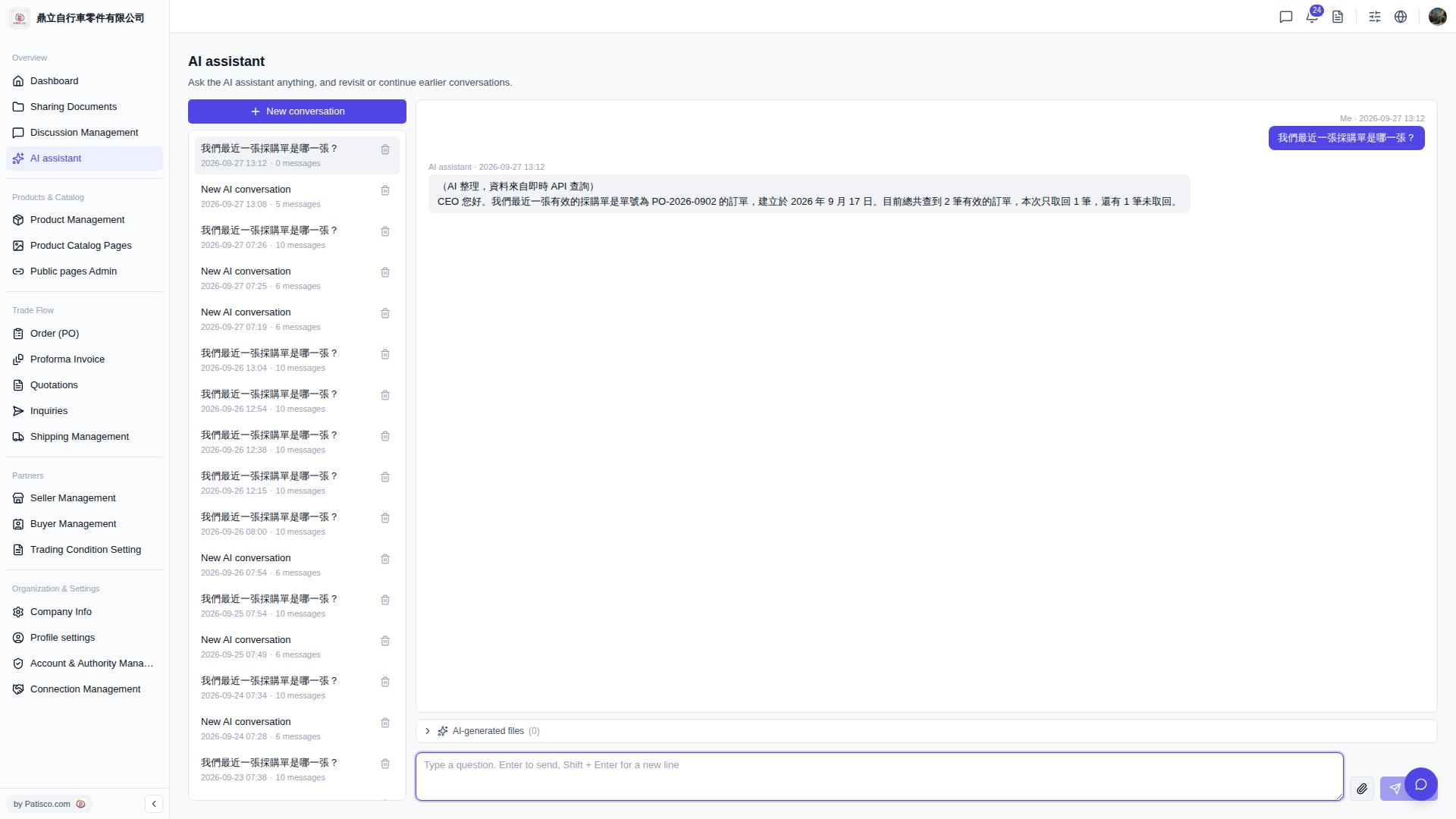 V5 新桌面版|AI assistant