
1. Click "Quotations" in the left sidebar to access the quotation management page. 2. There are two main action buttons in the top right corner of the page: click "+ Add quotation" to create a new quotation, or click "Download Excel" to export the current list as an Excel file. 3. Use the label tabs at the top of the list to click "Sent" to view quotations you've sent, or click "Received" to view quotations you've received. 4. To search for a specific quotation, enter keywords in the search box, or click "Filters" to open the advanced filter panel and set conditions. 5. Click the quotation number (e.g., QT-2026-0411) in the list to access the detailed page where you can view or edit that quotation.
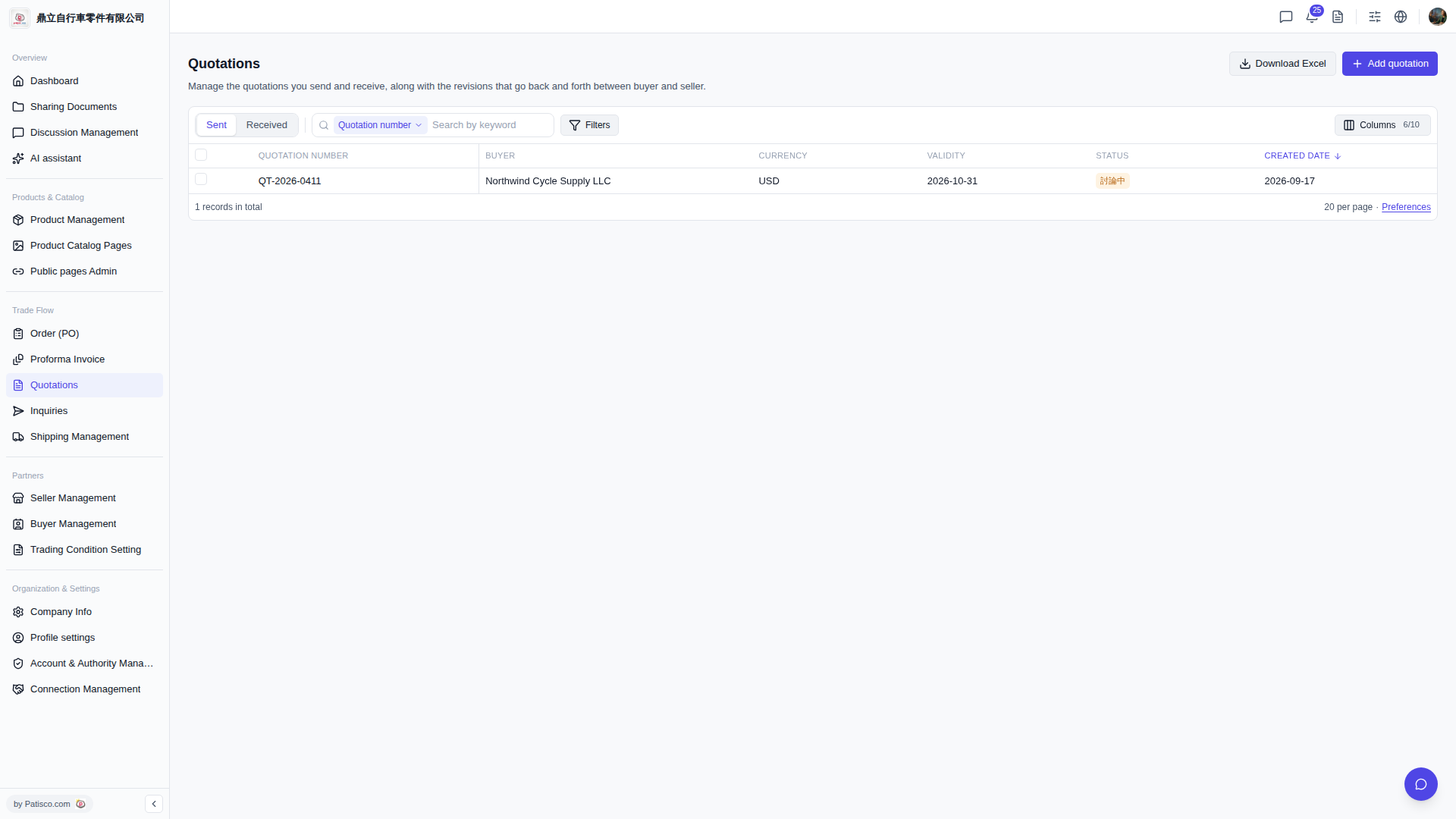 V5 新桌面版|Quotations(報價單管理)