
1. Go to the "AI assistant" page. You will see an input field at the bottom labeled "Ask AI a question...". 2. Click the input field and type your question in Traditional Chinese or your preferred language. 3. If you need to attach a file, click the "Attachment" button (paperclip icon) on the left of the input field; to take a photo, click the "Camera" icon. 4. After entering your question, click the pink "Send" button (paper plane icon) in the bottom right to submit. 5. The AI will query real-time system data and display the response in a chat bubble (including order number, status, date, etc.).
Example: "What is our most recent purchase order?" AI response: "Your most recent PO is order number PO-2026-0902, status confirmed, created on September 17, 2026."
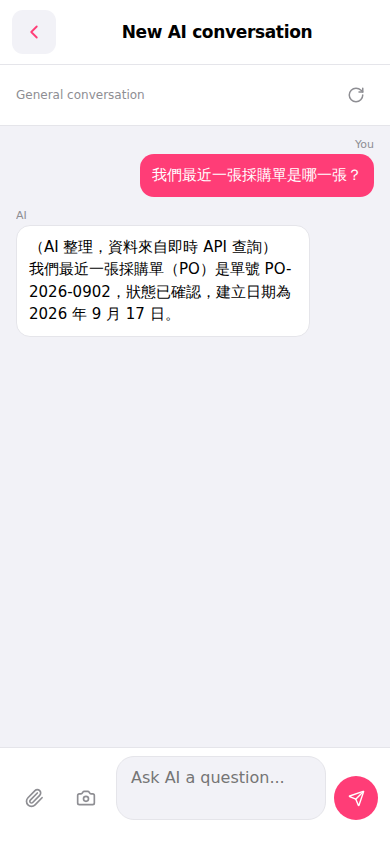 手機版|AI 對話助理