
1. Go to the "AI assistant" conversation page. 2. Click the paperclip (Attachment) icon in the bottom left, and select the prepared supplier CSV file to upload. 3. Wait for the AI to finish analyzing, then verify that the field mapping is correct (Company Name → Name, Email → Email, Tax ID → Tax ID, Phone → Phone) and that the number of records is accurate. 4. In the input field, type "Import Seller Management" or directly click the pink "Import Seller Management" button on the right side of the chat bubble. 5. After the AI shows a preview of the results, type "Create" in the input field, then click the pink Send button in the bottom right to complete the batch import.
Example: "Import Seller Management (12 rows csv)" AI response: "Import Seller Management AI totaling 12 records: create 12, use existing 0, skip 0. Field mapping: Company Name → Name; Email → Email; Tax ID → Tax ID; Phone → Phone. Please type 'Create' to confirm this operation."
Known issue: The AI response currently does not indicate output files or import result reports. If you need import records, please verify manually.
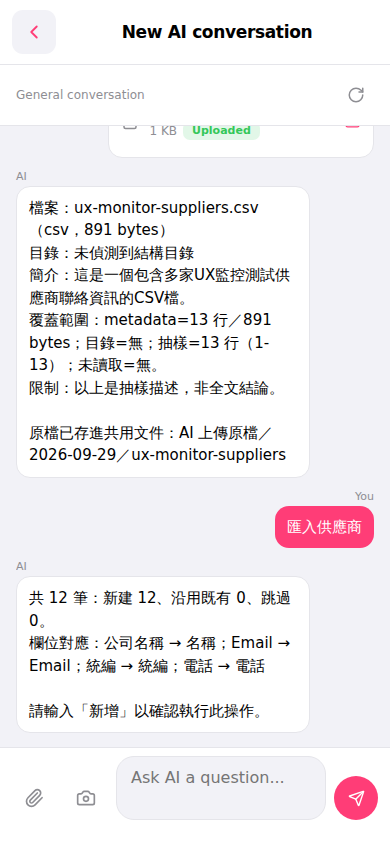 手機版|New AI conversation