
1. After seeing the AI's preview information (number of records to create/use existing/skip, and field mapping), verify that the content is correct. 2. Type "Create" in the input field below. 3. Click the pink Send button in the bottom right, and the AI will execute the import operation.
Known issue: The AI does not currently provide an output file or import result report after completion. To verify, please manually check the Seller Management list for the record count.
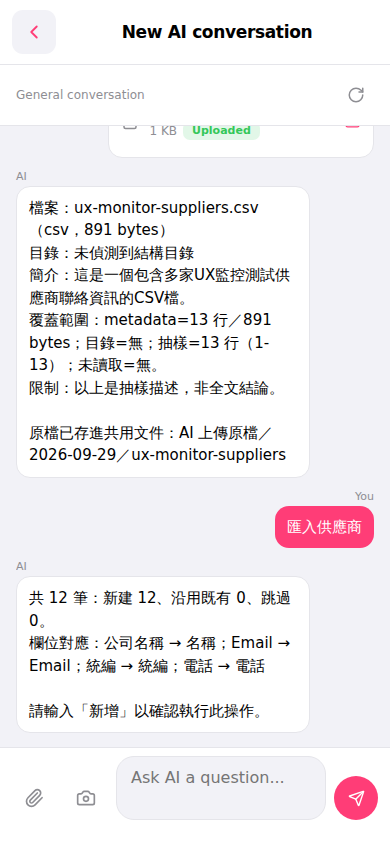 手機版|New AI conversation