
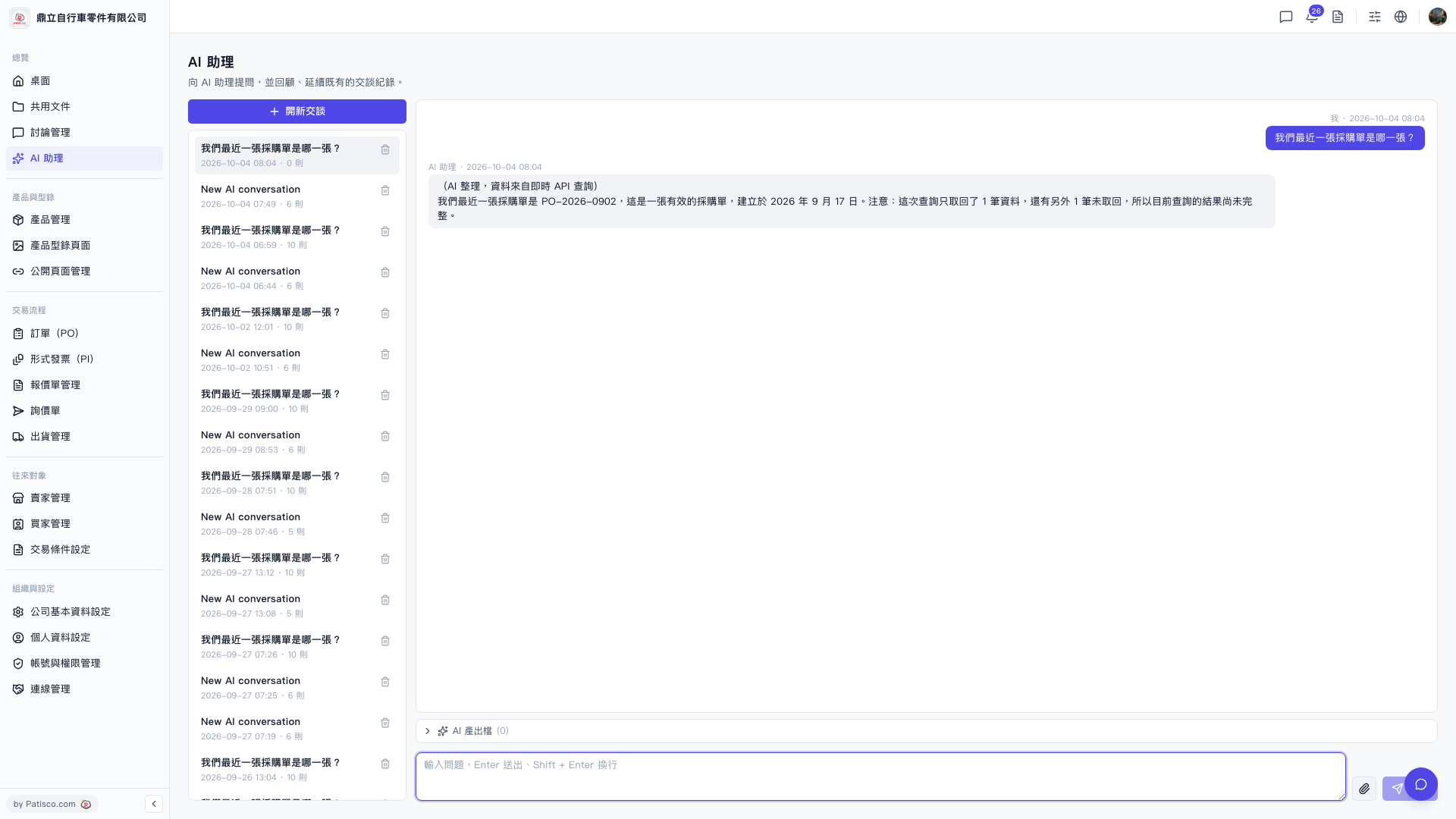
1. After entering the "AI assistant" page, click "+ Start New Chat" at the top of the left conversation list to create a new conversation. 2. Enter your question in the input box at the bottom of the screen. 3. Press the Enter key to send, or press Shift + Enter to continue typing on a new line. 4. The AI assistant's reply will appear in the conversation area on the right, with data sources marked (for example: AI summary, data from real-time API query). 5. If you want to see the structured data the AI has organized this time, you can click "AI Output Data" at the bottom of the conversation area to expand and view it.
 V5 新桌面版|AI 助理