
1. Find the folder you want to view on the "Shared Files" page. 2. Tap the ">" arrow icon on the left side of the folder row to expand and view its sub-items. 3. To rename or delete the folder, tap the "⋮" button on the right side of the folder to open more options.
Additional note: Folders with a "Default" label are system default folders and cannot be deleted. Regular folders display the number of items they contain (for example, "16 items").
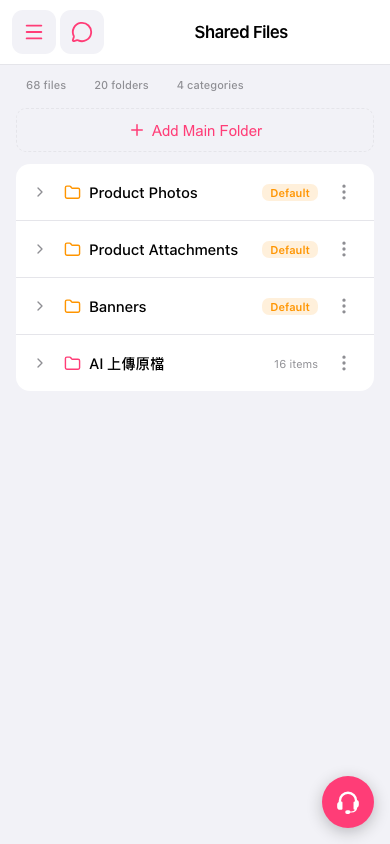 手機版|Shared Files(共享檔案)