
1. Click the "Hamburger menu" in the upper left corner to open the sidebar navigation, find and click the Discussions entry to access the "Discussions" page. 2. After entering, the "Discussion" tab will display the discussion topic list by default. Each topic shows a colored letter avatar, topic name, and a preview of the latest message. 3. The page top has two tabs: "Discussion" and "AI Discussion", which allow you to switch between different discussion modes. 4. A floating customer service icon (avatar) is in the lower right corner. Click it if you need assistance.
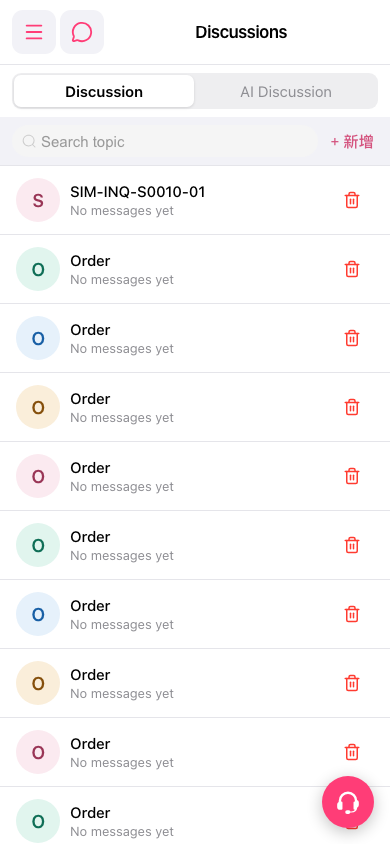 手機版|Discussions(討論區)