
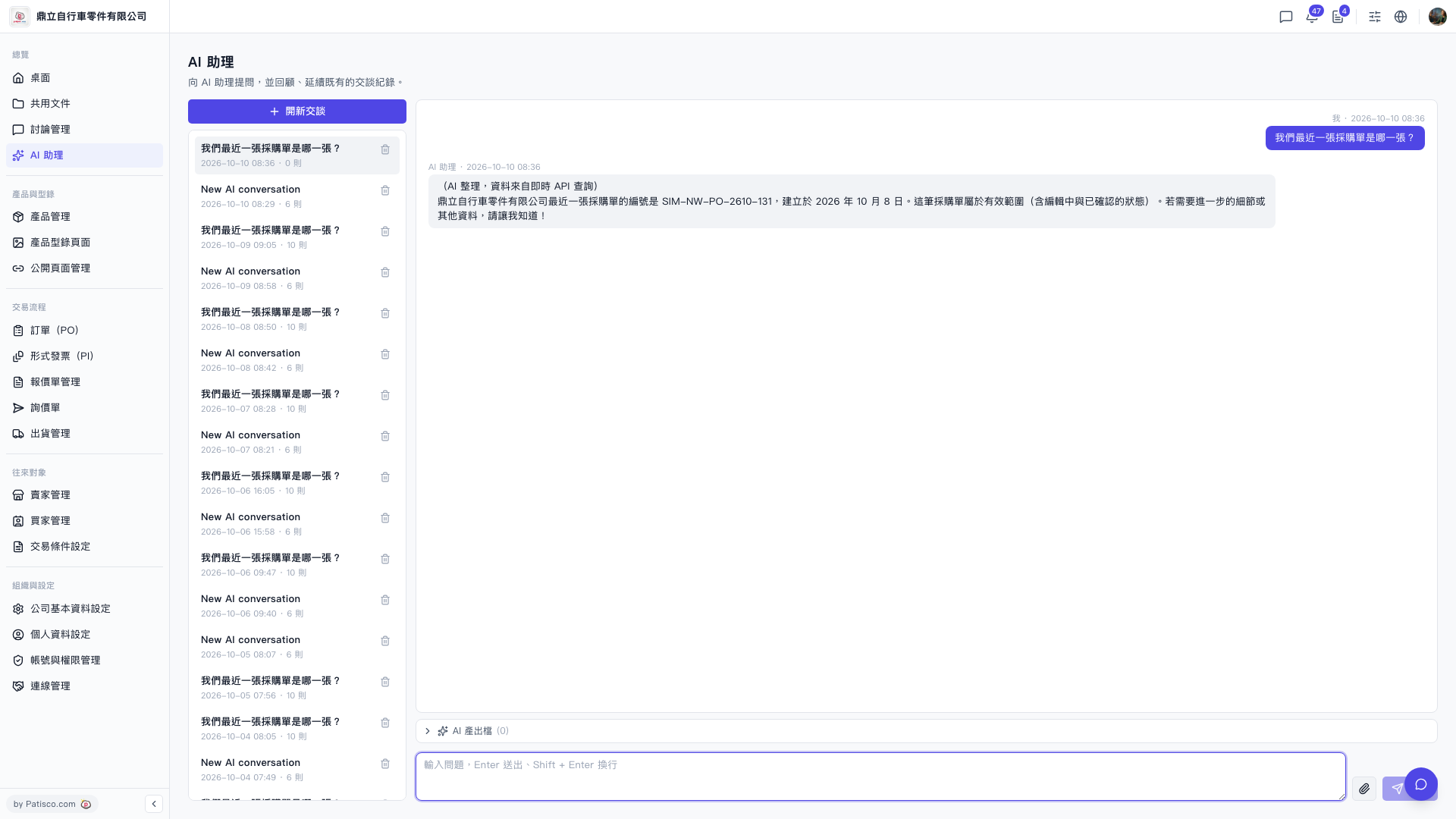
1. After entering the "AI Assistant" page, click "+ Start New Conversation" at the top of the conversation list on the left to create a new conversation. 2. Enter the question you want to ask in the "Conversation Input Box" at the bottom of the page. 3. Press the Enter key to send the question (if you need to create a new line, press Shift + Enter); or click the arrow icon (Send) at the bottom right of the input box to send. 4. Wait a moment for the AI Assistant to reply based on real-time system data. 5. When you need to ask follow-up questions, simply continue typing in the input box of the same conversation.
Example question: "What was our most recent PO?" Example reply: "The most recent PO from the company is order number SIM-NW-PO-2610-131, created on October 8, 2026, and is within the active scope (including editing and confirmed statuses)."
 V5 新桌面版|AI 助理