
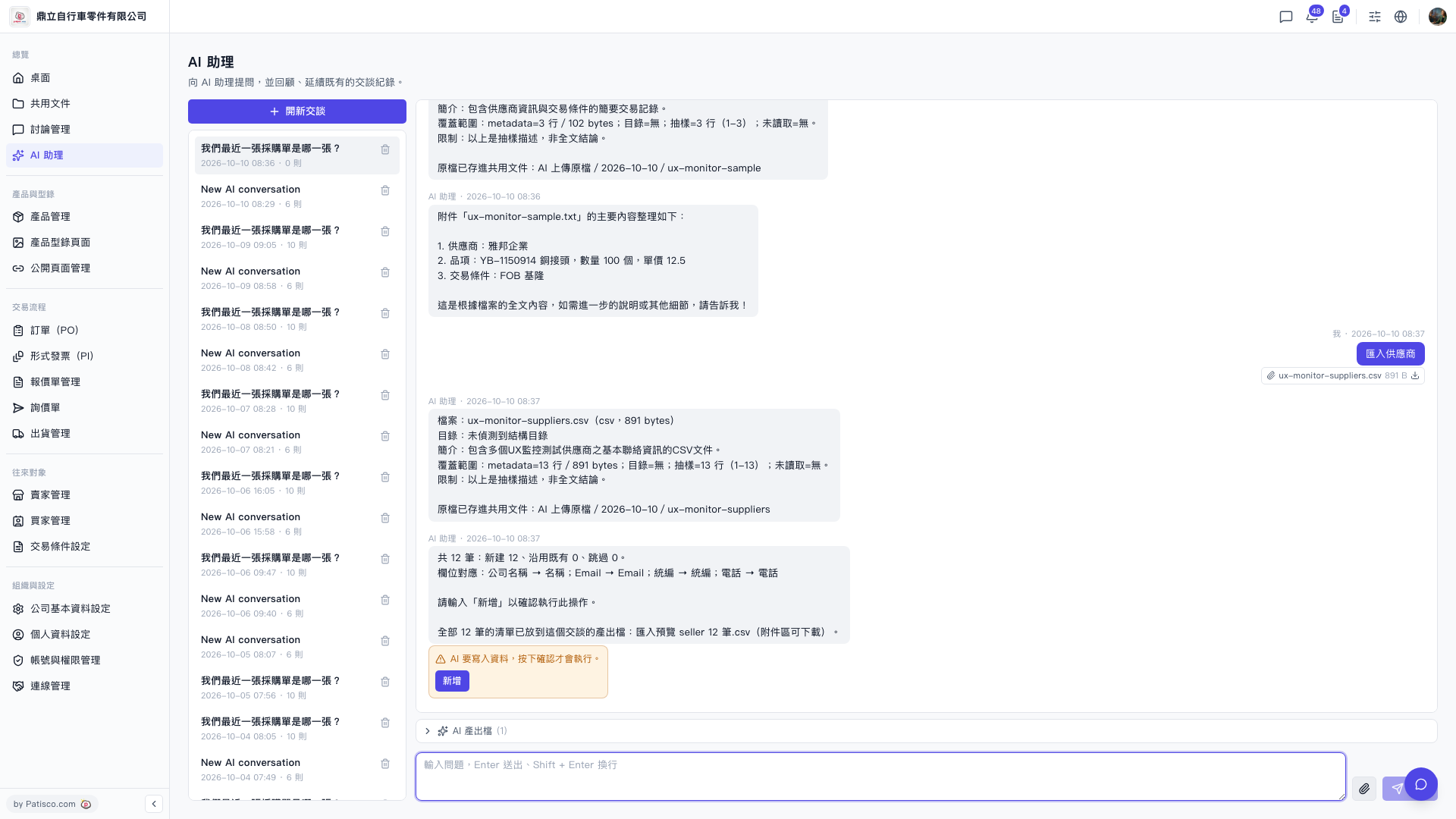
1. After the AI assistant analyzes the CSV, it will list in the conversation the number of records for "new created", "existing used", and "skipped", as well as the field mapping list, so you can verify. 2. At the same time, it will save the complete import preview list as a CSV attachment (for example, "Import Preview seller 12.csv"), which you can download from the attachment area of the conversation to check each record. 3. After confirming that the content is correct, enter "Add" to let the AI assistant execute the write operation; if there are issues, you can choose not to enter and re-adjust the CSV before uploading again. 4. The uploaded original file will also automatically be saved to the shared document folder "AI Uploaded Files / Date /", so you can trace the original data later.
 V5 新桌面版|ai.outputs.csv