
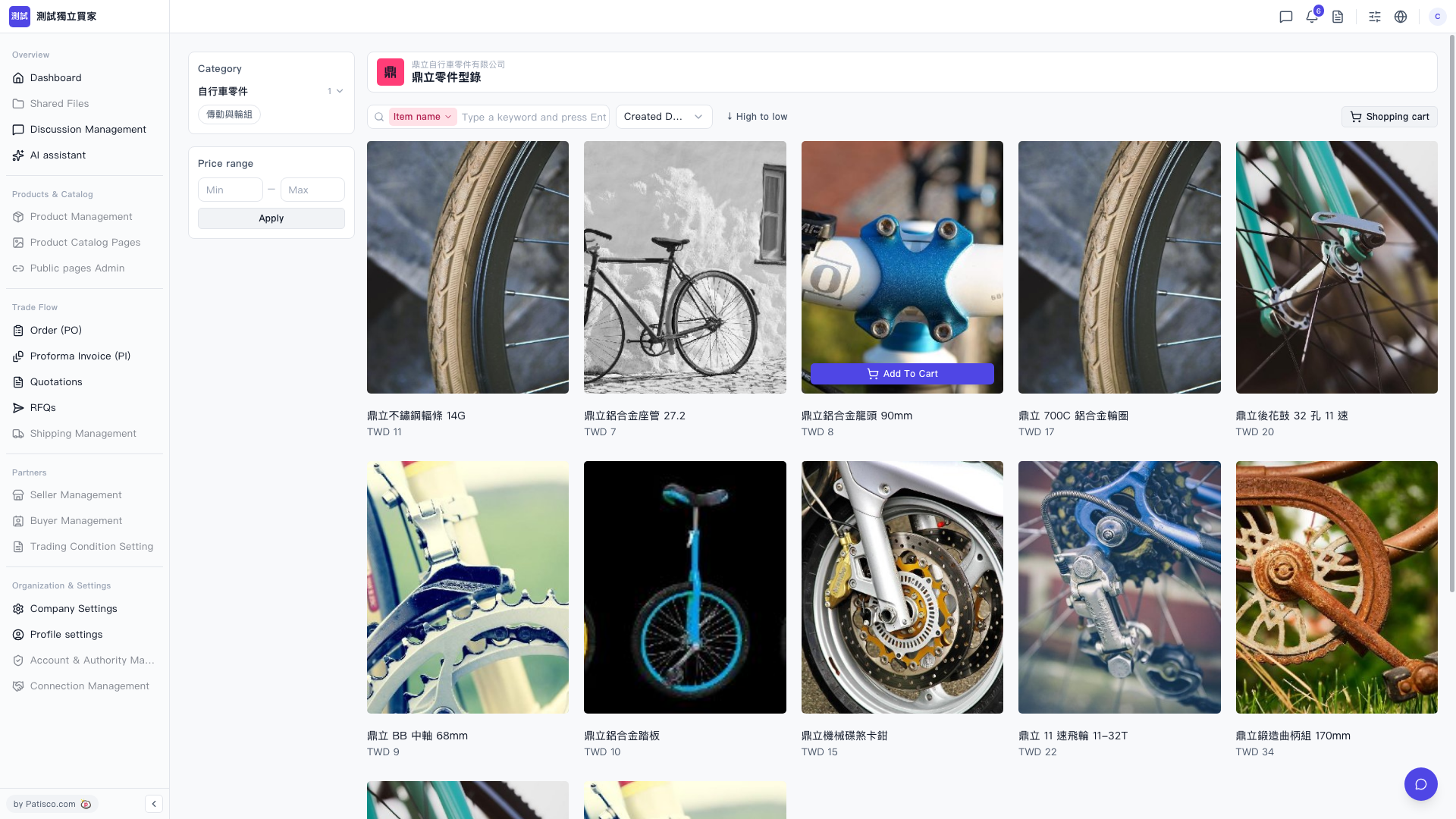
1. After entering the supplier catalog page, the page displays the supplier name (for example, "Dingli Bicycle Parts Co., Ltd.") and the catalog name (for example, "Dingli Parts Catalog"). 2. On the left side, you can click on categories (for example, "Bicycle Parts > Transmission and Wheels") to filter products. 3. If you want to sort by price, you can use "Price range" to set the range and then click "Apply" to apply. 4. The product list can switch the sort order by "Created Date" or "High to low". 5. After finding the product you want (for example, "Dingli Stainless Steel Spoke 14G TWD 11"), click the "Add To Cart" button on the right side of that product to add it to the shopping cart. 6. The "Shopping cart" icon in the upper right corner allows you to view the items you have added.
 V5 新桌面版|buyer.catalog.open