
1. After entering the "Seller Product Catalog" page, you can first click on classification tags such as "Brand", "Public Display Requirements", "Sales Method Requirements", "Trading Document Requirements", "System Service Method", or "Other Services" in the left filter panel to quickly narrow down the range. 2. To filter by price, enter the minimum and maximum amounts in the "Price Range" field on the left, then click the "Apply" button. 3. You can also type keywords in the "Product Name" search box at the top and press Enter to search for specific products. 4. On the right side of the search bar, you can click "Sort by Creation Date" to switch the sort field, or click "From High to Low" to toggle between ascending and descending order to adjust the product display order.
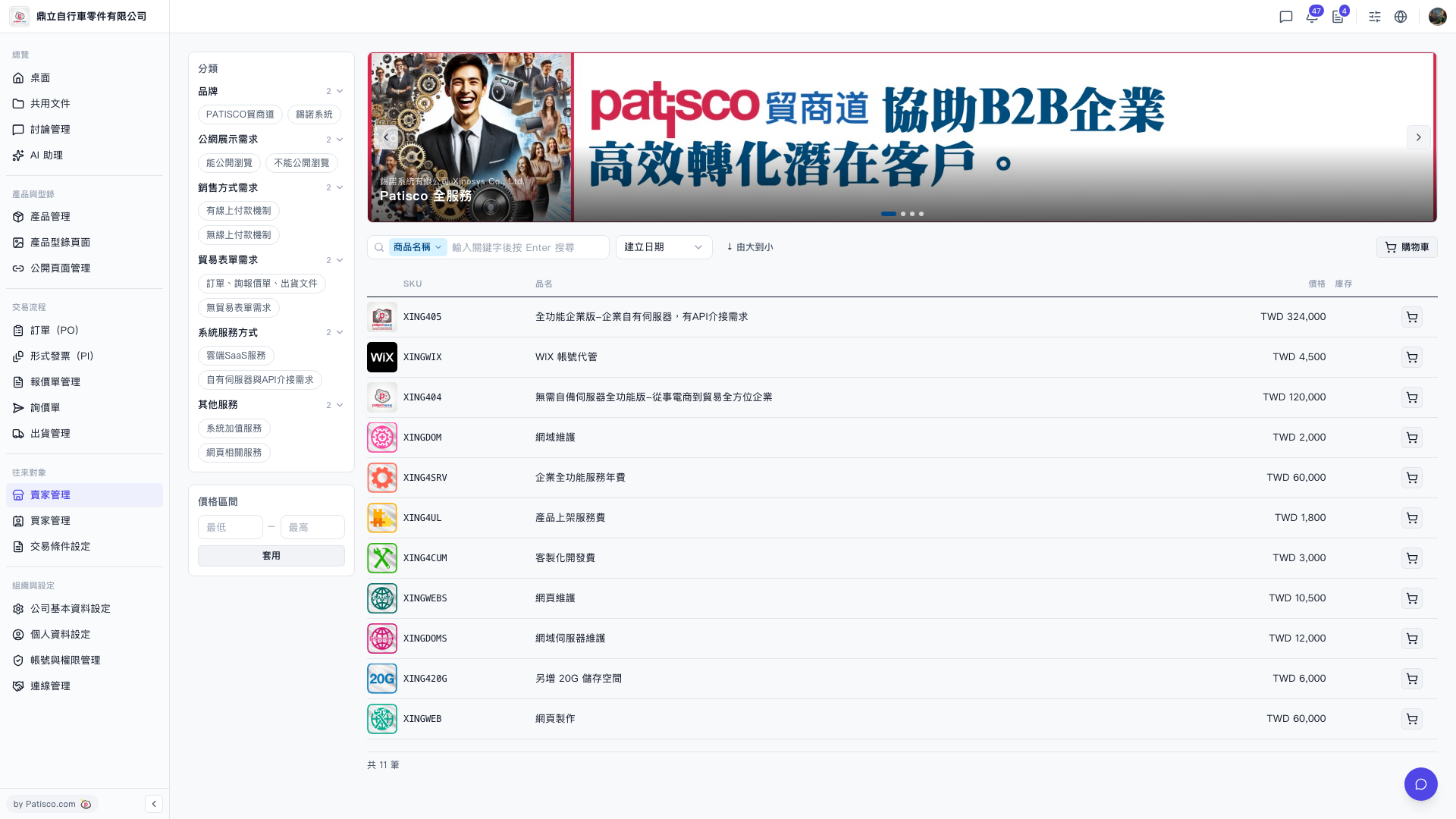 V5 新桌面版|賣家商品目錄(Catalog)