
Adding a quotation: 1. After entering the "Quotation Management" page, click the "+ Add Quotation" button in the top right corner. 2. Fill in required information such as buyer, currency, and expiration date, then save to complete creation.
Exporting to Excel: 1. On the "Quotation Management" list page, click the "Download Excel" button in the top right corner. 2. The system will export the quotation data from the current list to an Excel file for download.
Additional note: If you want to see only specific fields, you can click "Fields 6/10" in the top right corner of the list to customize which field types and quantities to display; you can adjust the number of items per page in the bottom right corner "Page Settings".
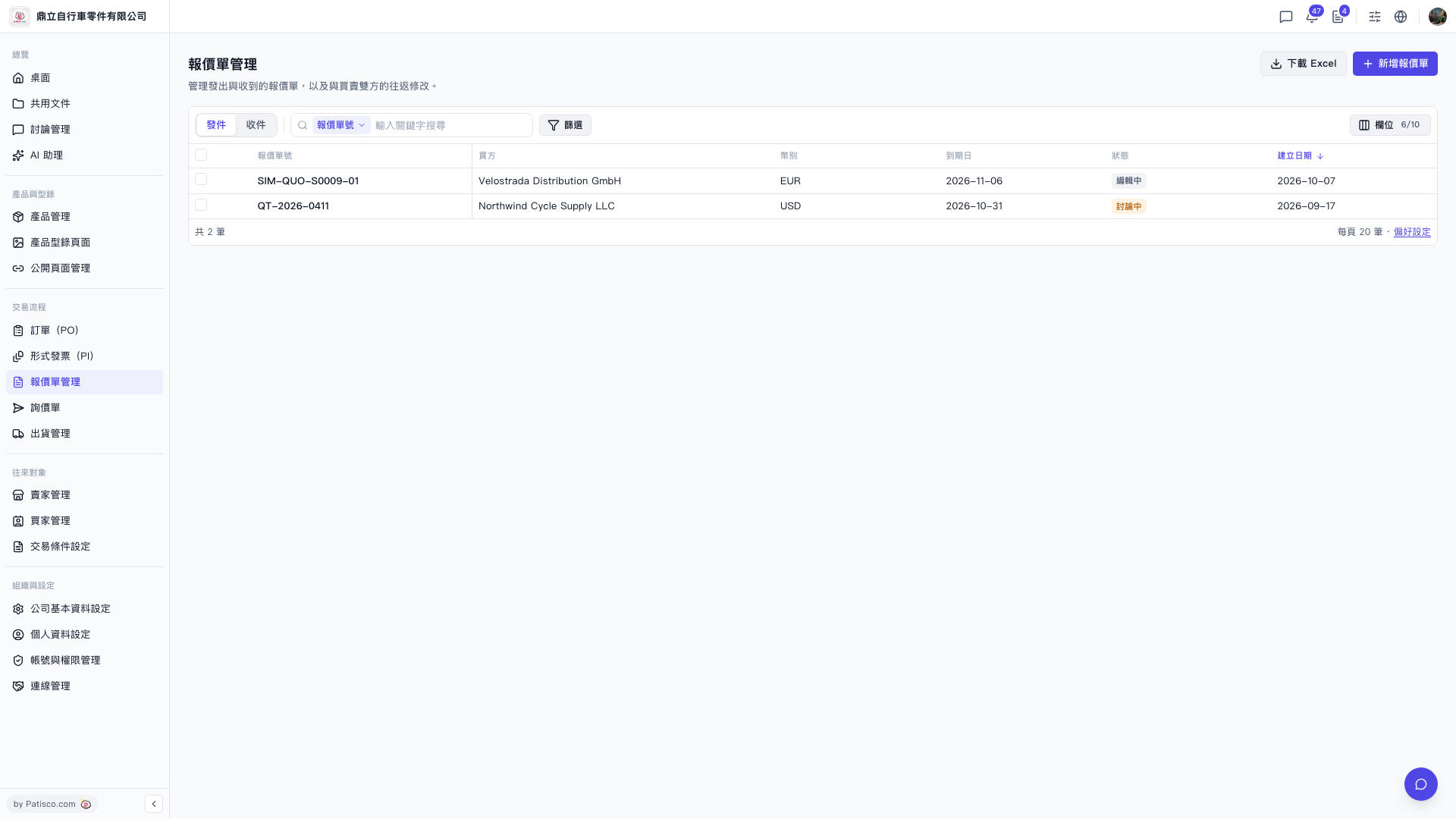 V5 新桌面版|報價單管理