
1. In the left menu, click "Seller Management" under "Partners" to go to that seller's catalog page (the page title is "Seller Catalog (Patisco Full-Service Product Directory)"). 2. Use the category tags on the left to filter by brand, public web display needs, sales method needs, trade document needs, system service method, or other services. 3. In the price range panel on the left, enter the minimum and maximum prices, then click "Apply". 4. You can also enter a keyword in the search box at the upper left of the list (product name) and press Enter. The search field can be switched. 5. To change the order, use the "Creation date" dropdown on the right of the search box to choose the sort field, then use "Descending" to toggle ascending or descending order.
The list shows columns such as SKU, product name, price, and stock.
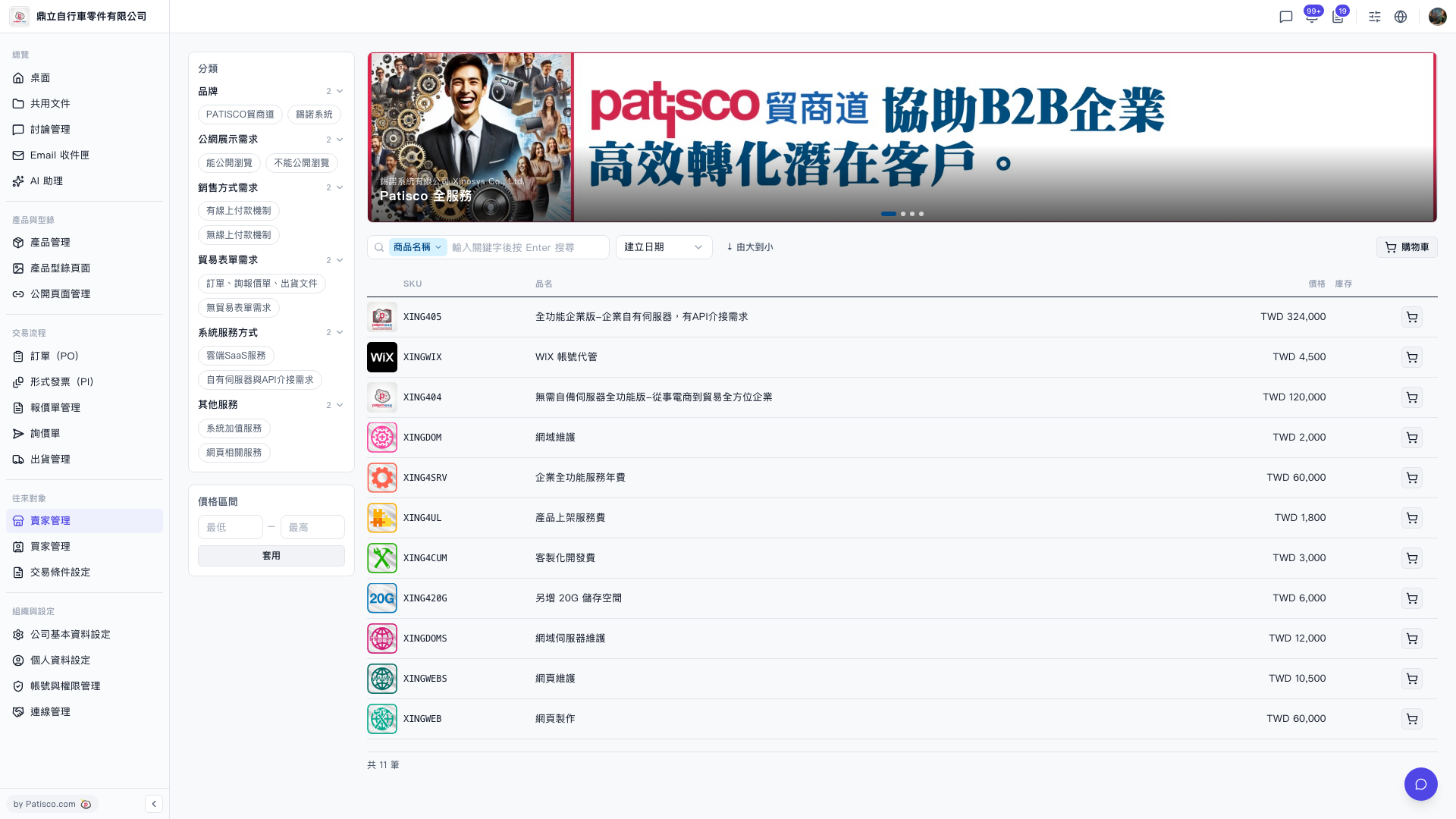 V5 新桌面版|賣家型錄(Patisco 全服務商品目錄)