
1. Go to the seller's catalog page (for example, "鼎立零件型錄"). 2. In the filter panel on the left, choose a category under "Category", for example "傳動與輪組" under "自行車零件", to narrow down the range first. 3. If you have a budget, enter Min and Max in "Price range", then click "Apply". 4. You can also type a product name keyword in the "Item name" search box on the left, below the catalog banner, and press Enter to search. 5. Use the sort dropdown to the right of the search box (showing Created Date by default) to choose what to sort by, and use "High to low" next to it to switch between high-to-low and low-to-high. 6. Click a product card (the image or the name) in the central product grid to open the product details.
You can ask the AI assistant: "Which stainless steel spokes are in this catalog?" The AI will reply based on the page content, for example, listing "鼎立不鏽鋼輻條 14G" with a price of TWD 11 and the status label "Not converted".
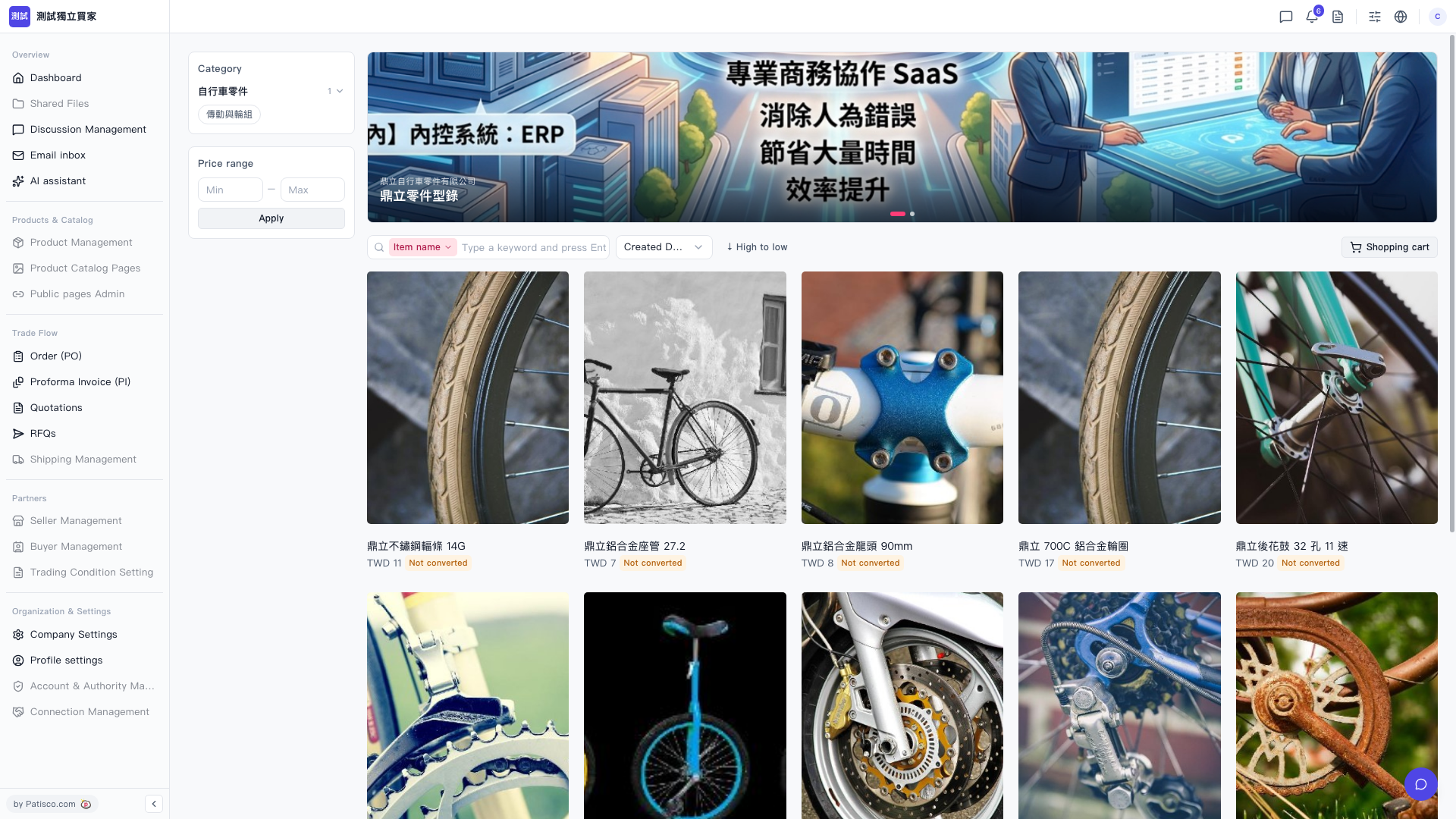 V5 新桌面版|鼎立零件型錄(賣家型錄頁面)