
Filter quotations: 1. Use the search bar at the top of the page, select a field (such as Quotation No.) and enter keywords to filter. 2. Click "Buyer Listing" on the right side of the filter bar to filter by buyer; you can also set a date range to narrow the scope. 3. Click "Stat All" in the filter bar at the top of the page to count all quotation statuses.
View details: 1. Check the quotation in the list and click the "details" button at the top of the list; or click directly on the quotation number link to enter the detailed page.
Export to Excel: 1. Click the "Download Excel." button on the right side of the top of the list to download the Excel file of the quotation list.
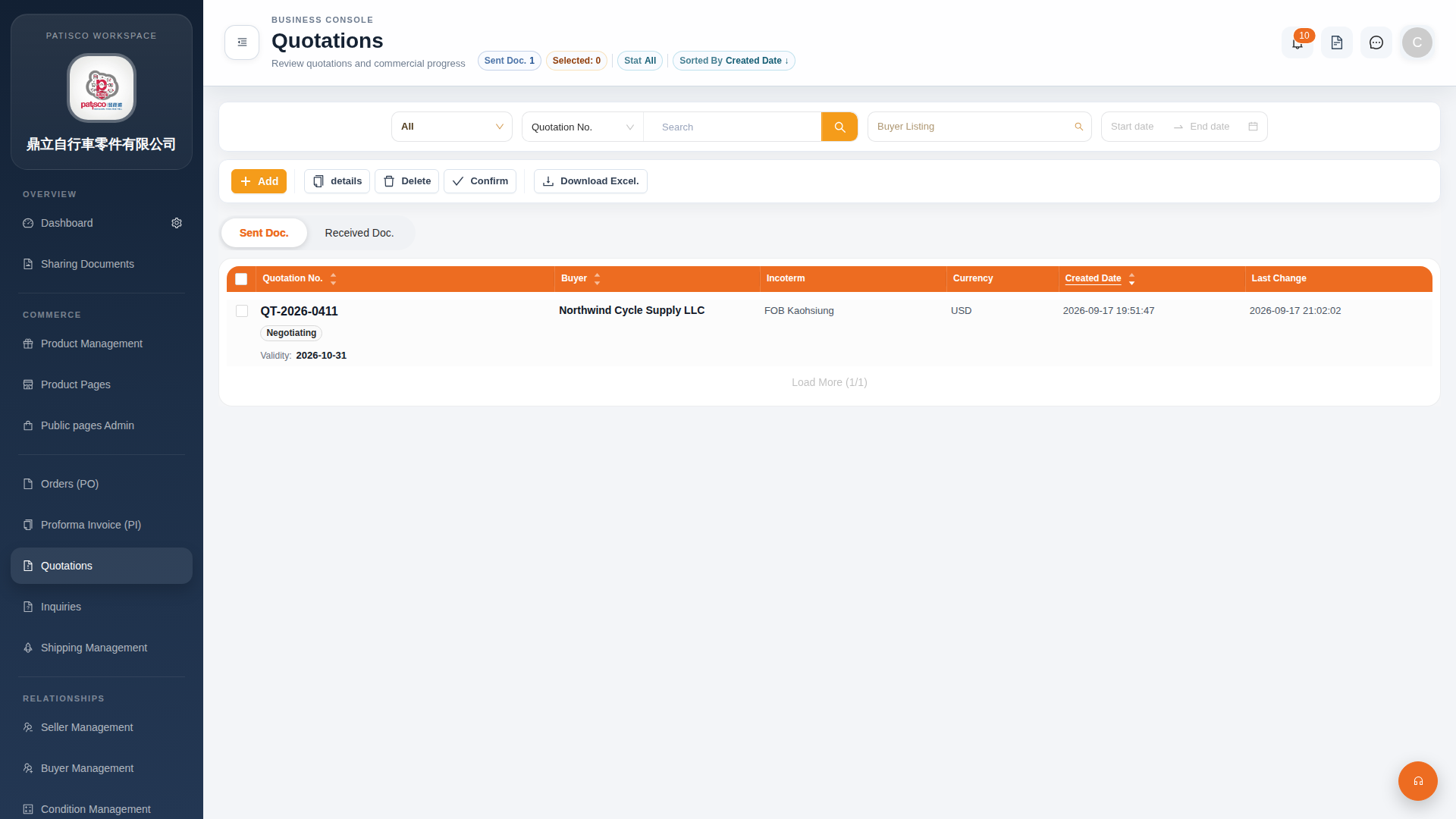 G4 桌面版|Quotations(報價單管理)