
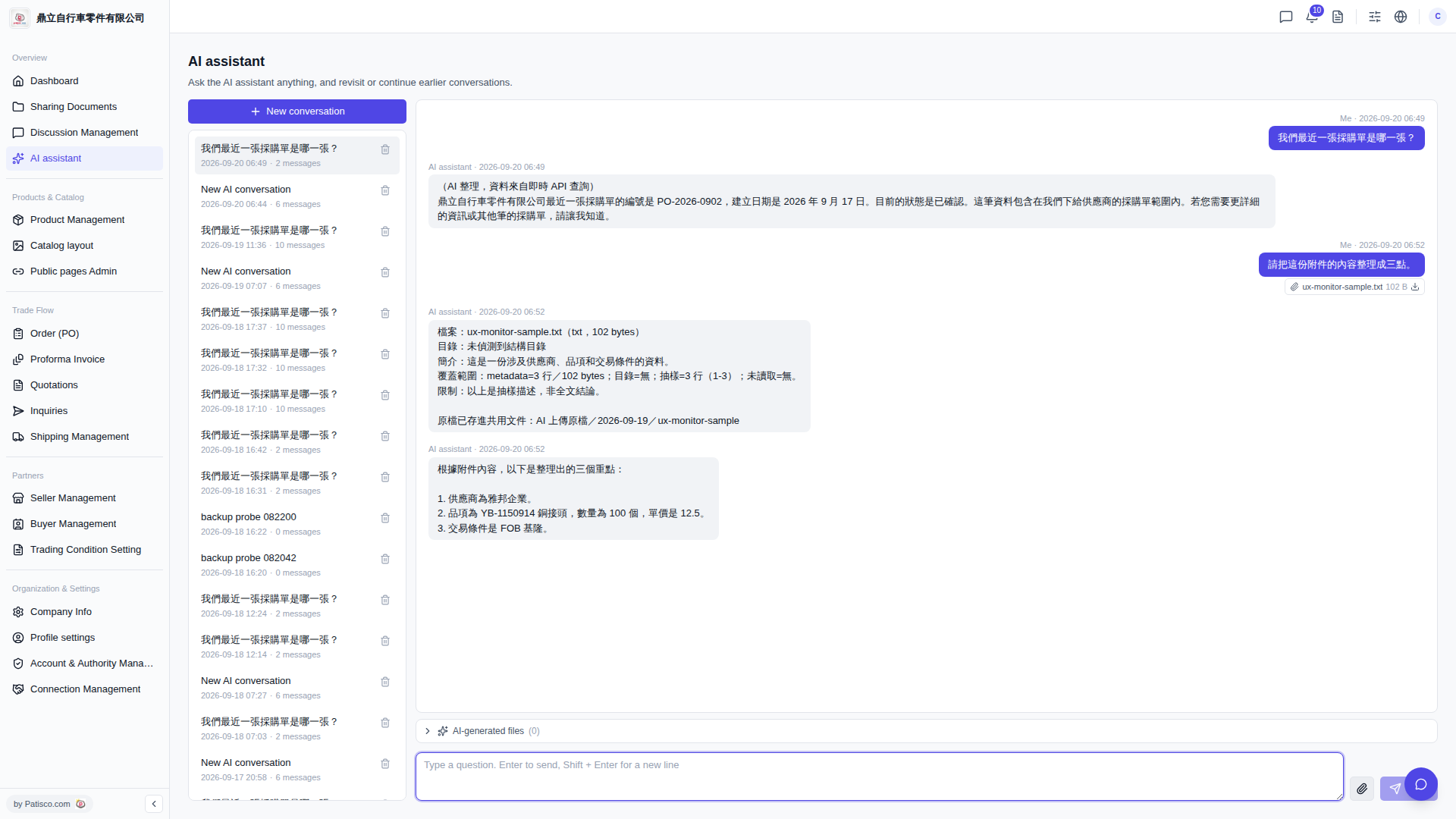
1. After entering the "AI assistant" page, click "+ New conversation" on the left to create a new conversation, or select an existing conversation from the history list to continue. 2. Click the "paperclip icon" on the right side of the bottom input box and select a local file (such as a contract or quotation) to upload. 3. Type your question in the input box, for example: "Please summarize this attachment into three points." 4. Press Enter to submit. The AI assistant will read the attachment and provide a response.
You can ask like this: "Please summarize this attachment into three points." AI will respond like this: "Based on the attachment content, here are the three key points: 1. The supplier is Ya Bang Enterprise. 2. The item is YB-1150914 copper connector, quantity 100 units, unit price 12.5. 3. Trading terms are FOB Keelung."
 V5 新桌面版|AI assistant