
1. Click "Order (PO)" under the "Trade Flow" category in the left sidebar to enter the PO management page. 2. There are two tabs at the top of the page: click "Sent (PO)" to view orders you've sent, and click "Received (PO)" to view orders you've received. 3. The list displays fields including ORDER NO., STATUS, SELLER, BUYER, INCOTERM, CURRENCY, AMOUNT, ITEMS, CREATED AT, and others. 4. Click any PO in the list (for example, PO-2026-0902) to open the detailed view of that order.
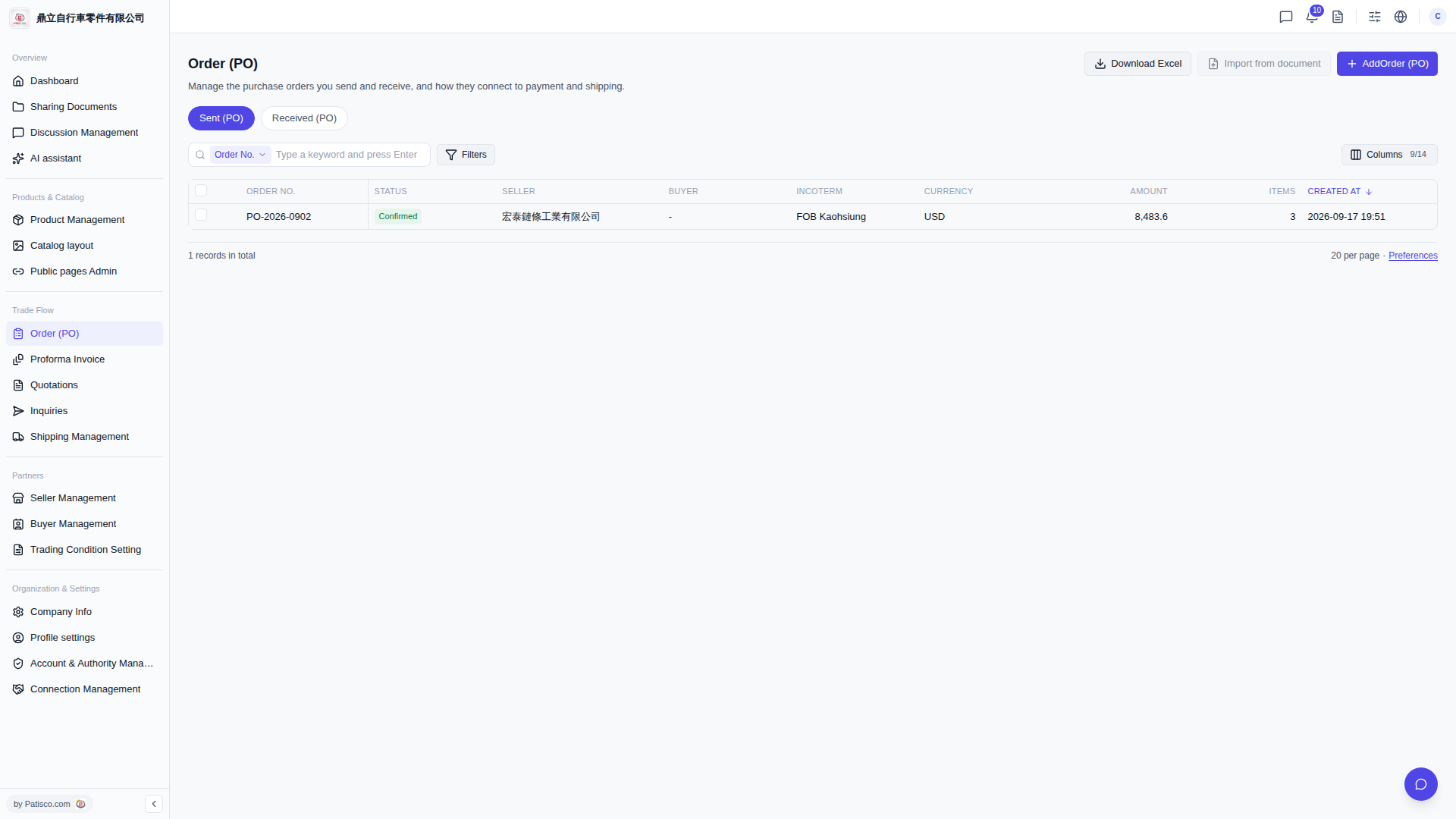 V5 新桌面版|Order (PO) - 採購訂單管理