
1. Open the Patisco mobile version and go to the "AI conversation (New AI conversation)" page. 2. Click the input field at the bottom "Ask AI a question..." and enter your question. 3. Click the pink send button (arrow icon) on the right side of the input field. 4. Wait a moment while the AI queries system data via real-time API and responds with results. 5. Read the AI response to confirm PO number, creation date, document status, and other information. 6. To continue asking, simply enter the next question in the input field and send it.
You can ask like this: "What is our most recent purchase order?" AI will respond like this: "Your company's most recent PO number is PO-2026-0902, which was created on September 17, 2026, and is currently in confirmed status."
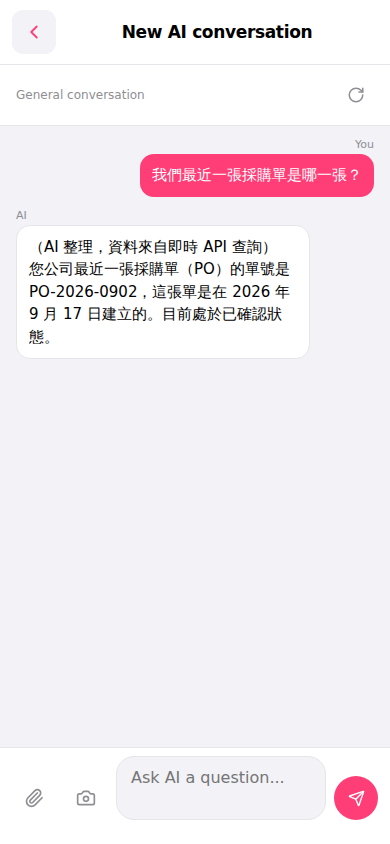 手機版|AI 對話(New AI conversation)