
Yes. In the "AI conversation (New AI conversation)" page, there are two icons on the left side of the input field at the bottom: 1. Click the paperclip icon (attachment) to upload file attachments to the conversation. 2. Click the camera icon to take a photo directly or select an image from your photo library. After uploading, click the send button (arrow icon) to send the attachment along with your question to the AI. If you need to reset the conversation context, you can click the refresh (↺) in the top right to start a new conversation context; if you want to leave the page, click the back (<) in the top left to return to the previous page or conversation list.
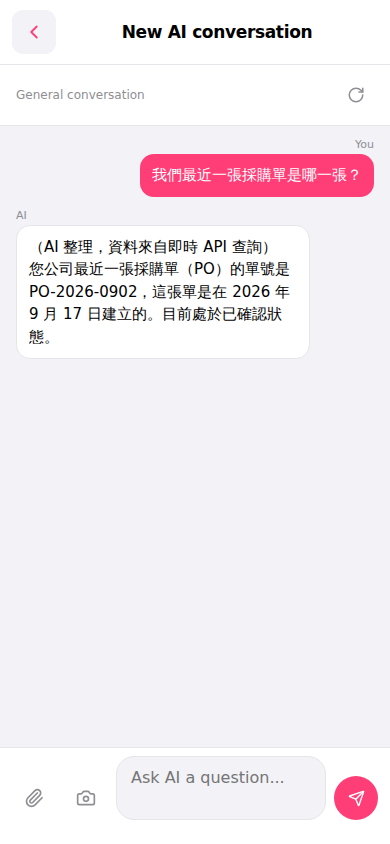 手機版|AI 對話(New AI conversation)