
1. The left side displays all conversation history records. Each record shows the conversation title, date and time, and number of messages. 2. To continue a previous conversation, simply click on that record in the left list to enter it. 3. To delete a conversation, move your cursor to the right side of the record and click the trash icon to delete it.
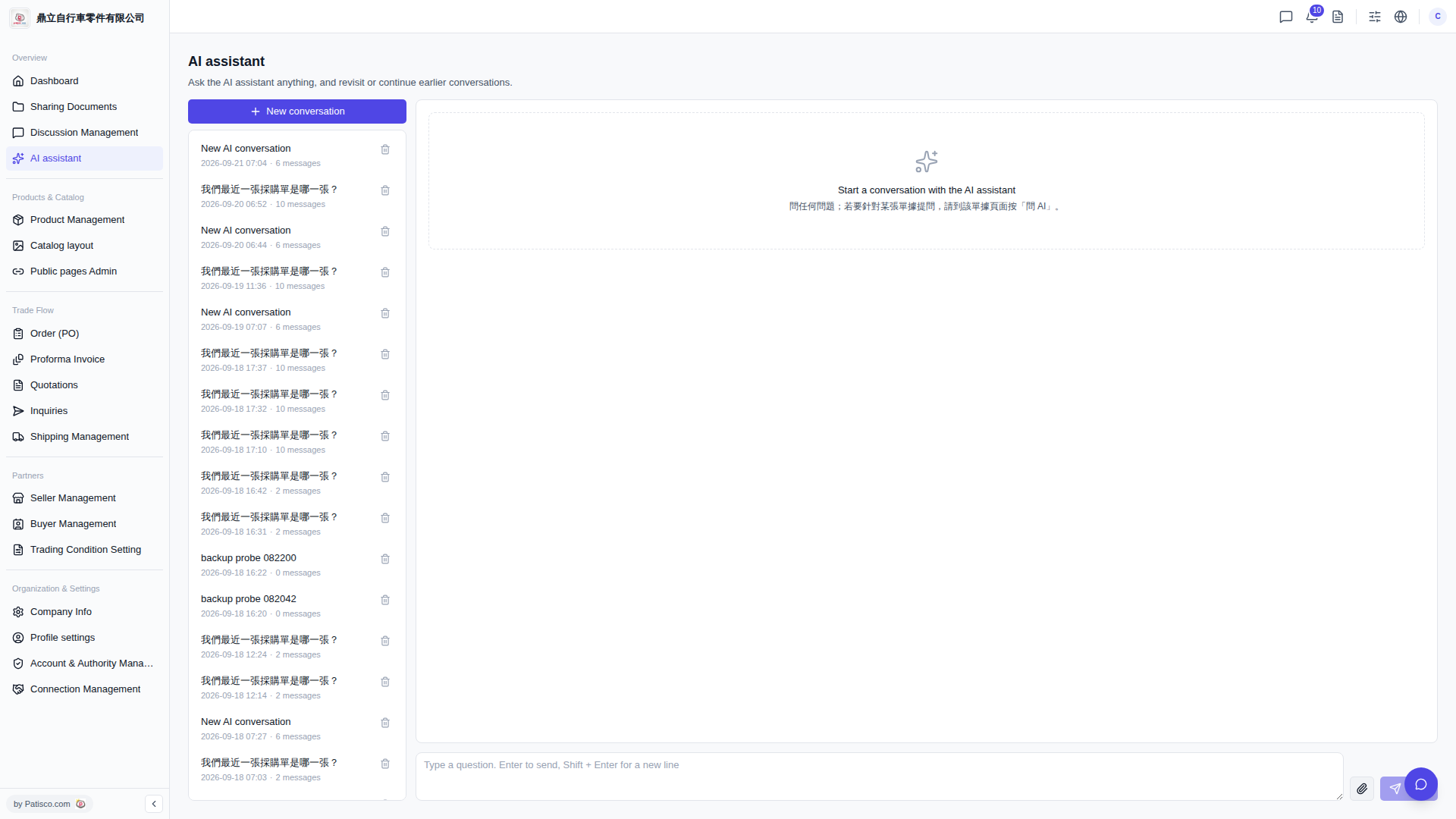 V5 新桌面版|AI assistant