
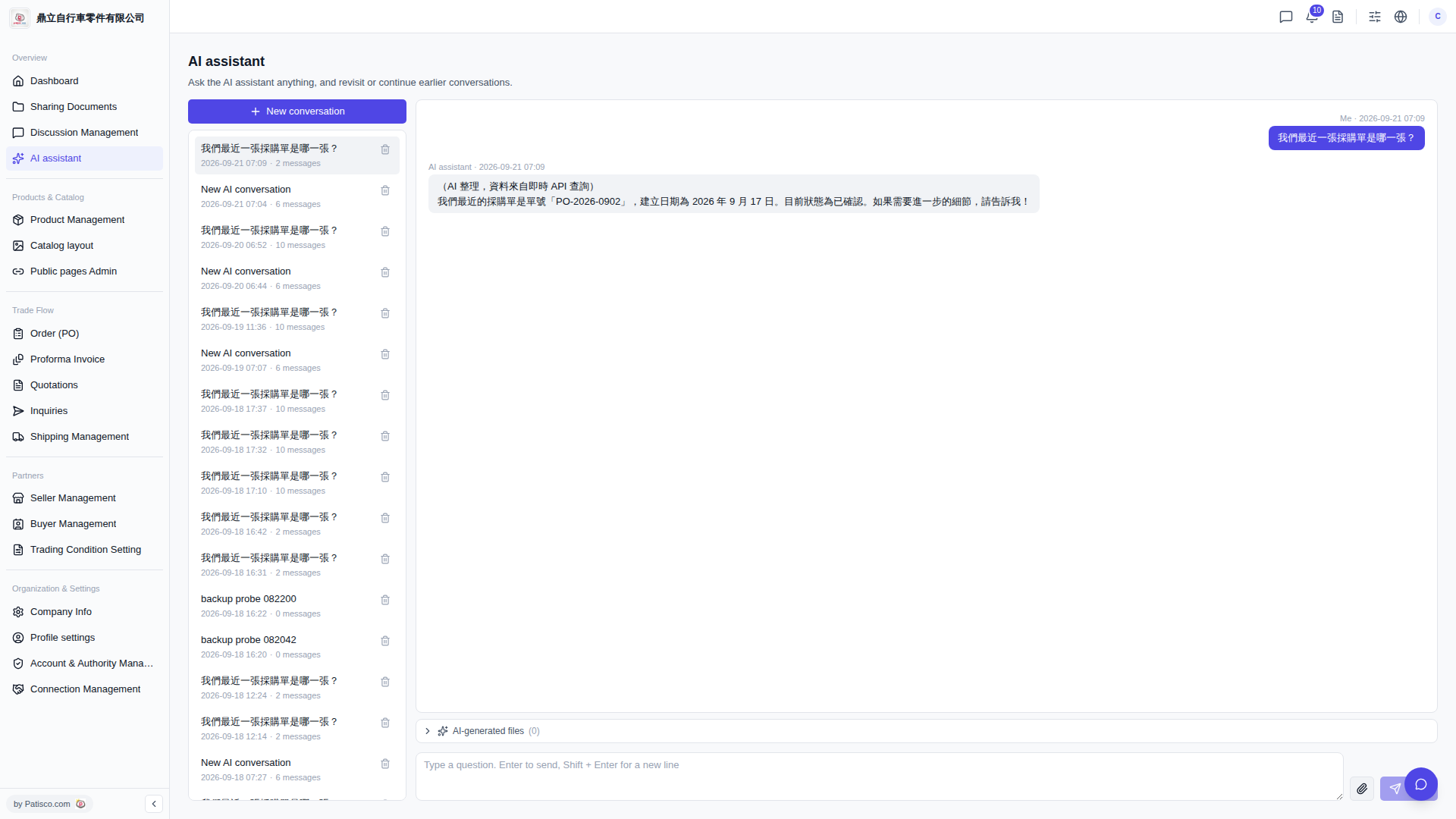
1. After entering the AI assistant page, click "+ New conversation" at the top of the left sidebar to start a new conversation. 2. Type your question in the message input box at the bottom right. 3. Press Enter to send, or press Shift + Enter to create a new line and continue typing before sending. 4. Wait for the AI assistant to automatically query data and display the reply in the conversation area. 5. To follow up with more questions, simply type the next question in the same input box.
Example question: "What was our most recent PO?" Example AI response: "Your most recent PO is PO-2026-0902, created on September 17, 2026, and is currently in confirmed status. Please let me know if you need further details!"
Known issue: In the current online version, the screen may appear blank after the AI responds and the input box may be locked. You will need to manually refresh the page to see the response content. This will be fixed in a future version.
 V5 新桌面版|AI assistant