
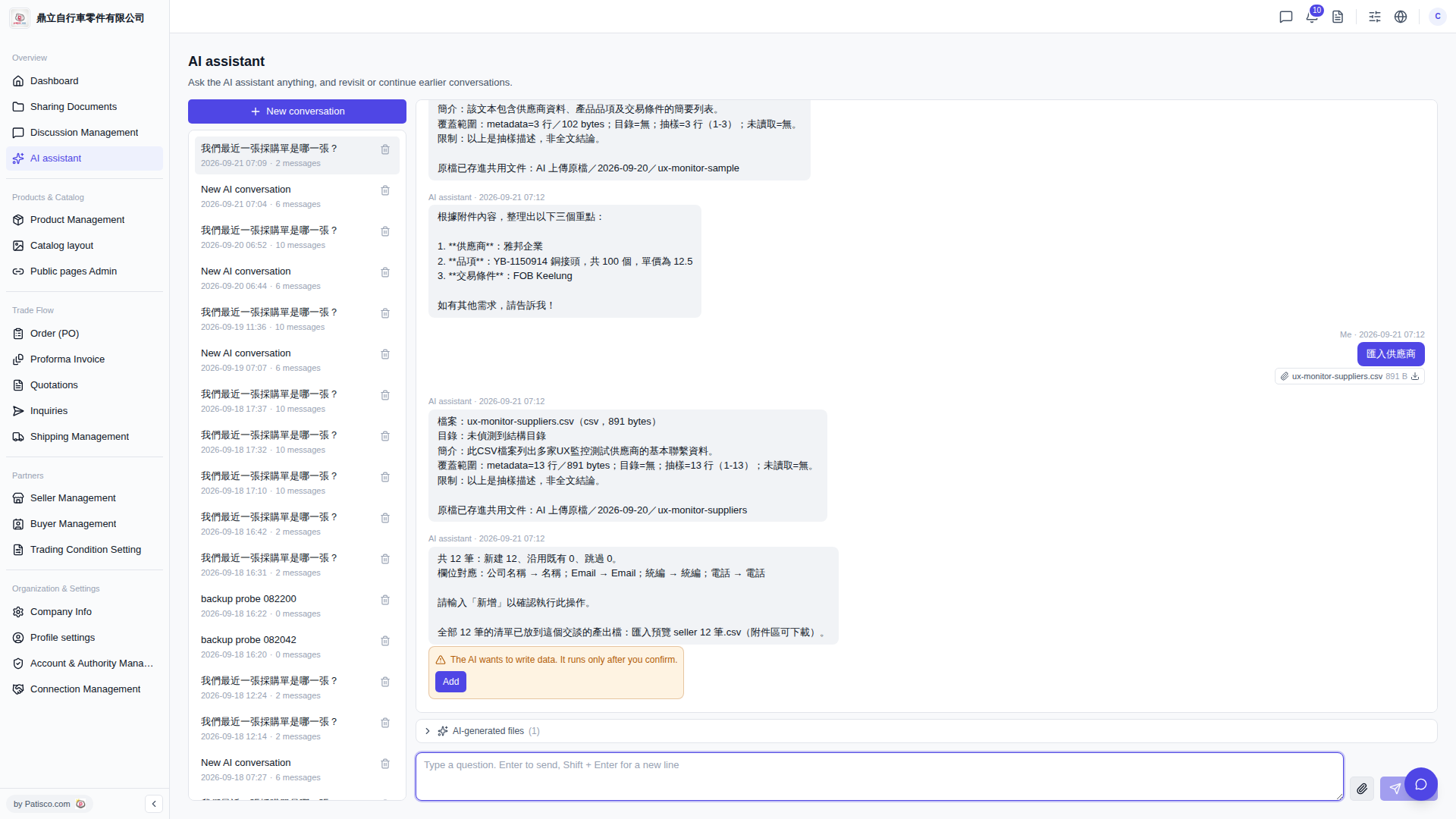
1. After the import operation is complete, scroll to the bottom of the conversation and find the "AI-generated files (1)" section. 2. Click on that section to expand it, and you will see the CSV preview file generated by the AI (e.g., "Import preview seller 12 records.csv"). 3. Click on the filename to download it to your computer.
> Tip: The original uploaded file will also be saved to the "AI Uploaded Original Files" folder in the shared documents for future reference.
 V5 新桌面版|AI assistant