
1. Search: In the search field, select a search condition (for example, Quotation number) and enter keywords to query. 2. Advanced filtering: Click "Filters" on the right side of the search bar. After expanding, you can filter the list by status, date, and other conditions. 3. Customize columns: Click "Columns 6/10" in the top right of the list to select which columns to display (up to 10 columns). 4. Items per page: Click "Preferences" in the bottom right of the list to adjust preferences such as the number of items displayed per page. 5. Export data: Click "Download Excel" in the top right to download the current quotation list as an Excel file.
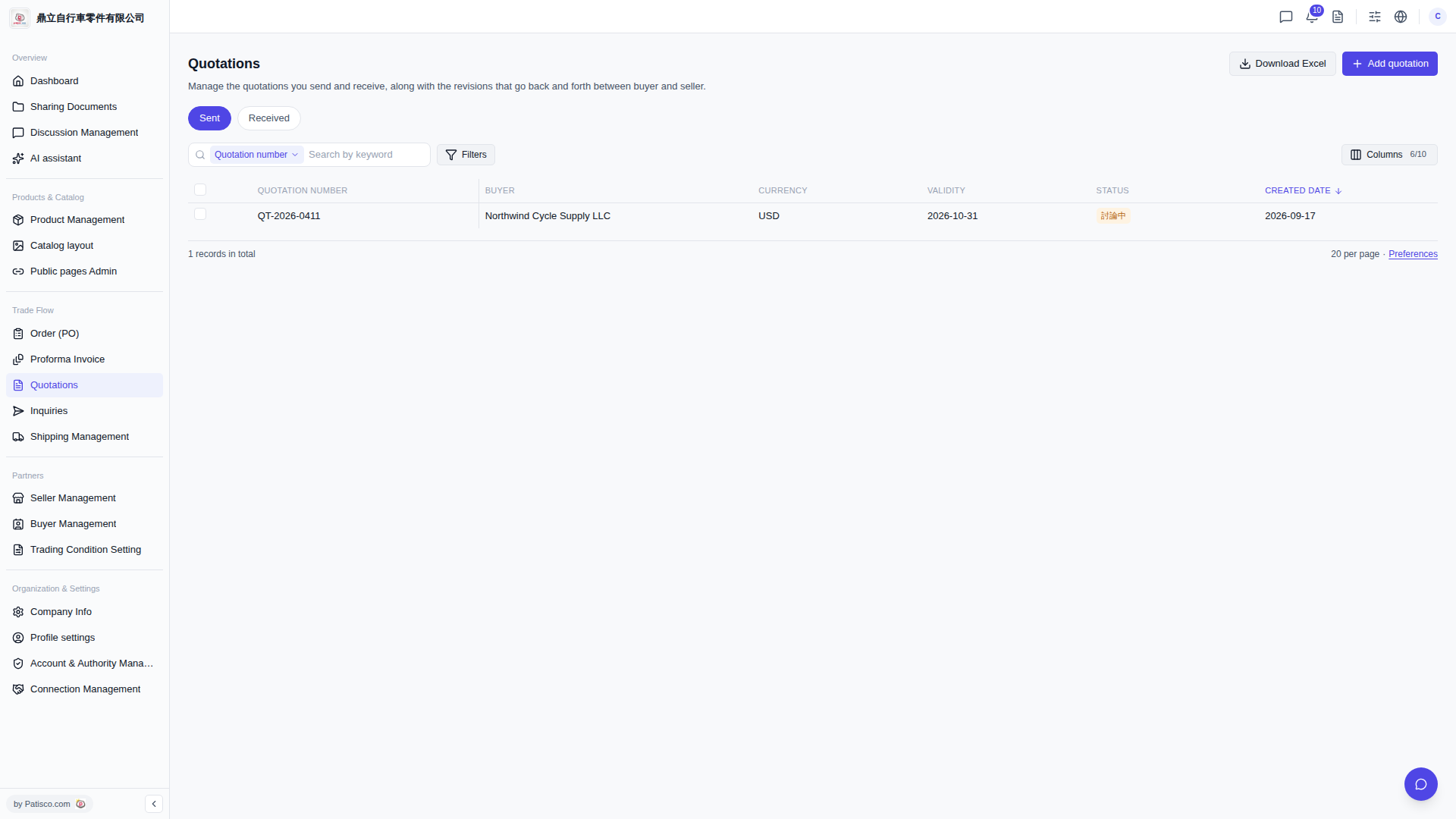 V5 新桌面版|Quotations(報價單管理)