
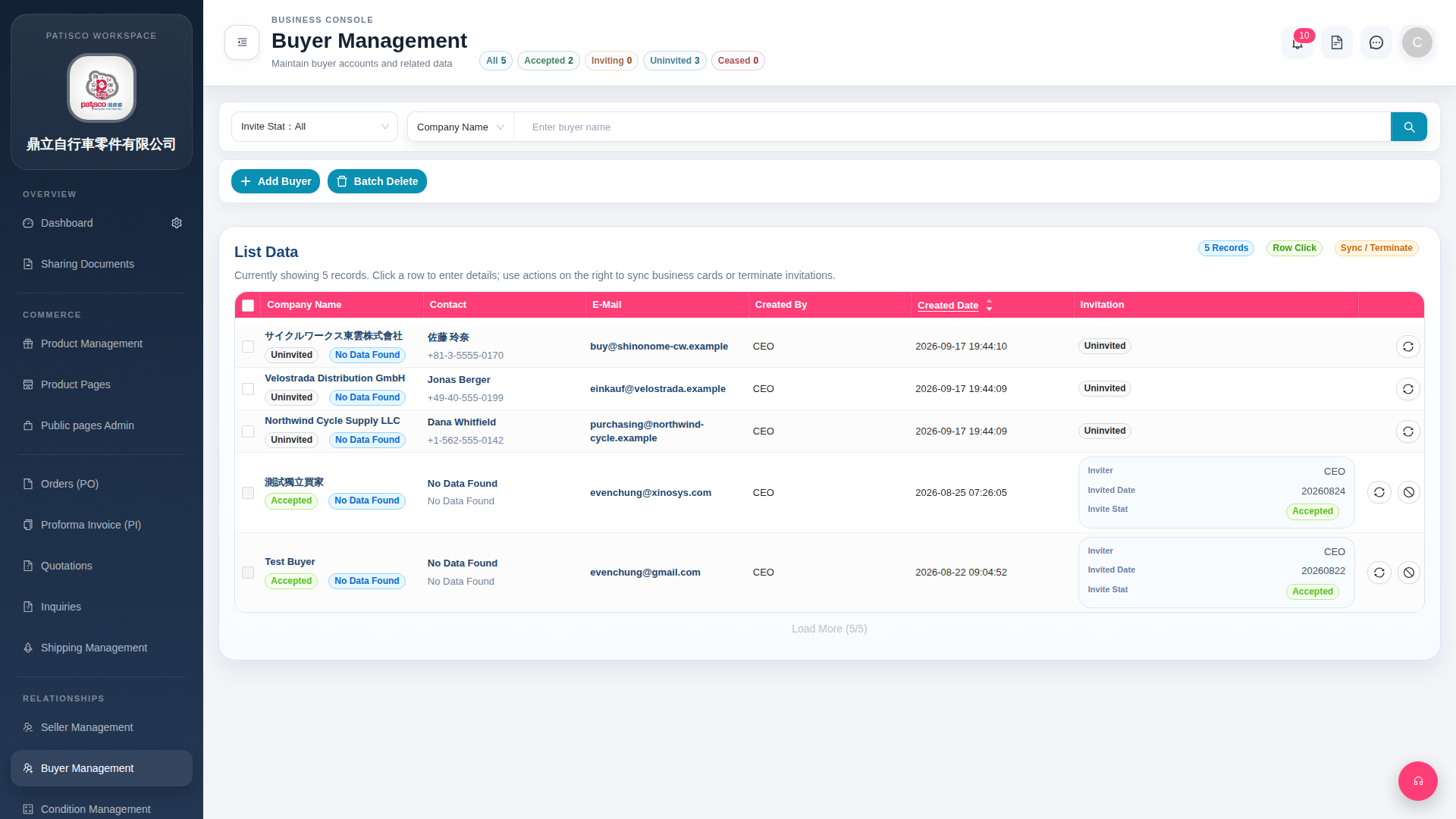
1. Click "Buyer Management" in the left sidebar to enter the Buyer Management page. 2. The page title is "Buyer Management". List fields include Company Name, Contact, E-Mail, Invitation, Invite Stat and other information. 3. At the top of the page there are filter tabs. You can click "All 5" to view all buyers, "Accepted 2" to view buyers who have accepted invitations, "Uninvited 3" to view buyers who have not yet been invited, and so on. 4. Click any row to enter the detailed information page of that buyer to view or edit.
 G4 桌面版|Buyer Management