
1. At the top of the "Purchasing Order" page navigation bar on the right side, click the "🔍" search icon, and enter keywords (such as PO number or supplier name) to search. 2. To filter by conditions, click the "⚙" filter icon on the right side of the top navigation bar, set the filter criteria, and apply them. The list will automatically update to show matching results. 3. To perform more actions on a specific PO (such as edit, delete, download, etc.), click the "⋮" three-dot menu on the right side of that PO card to expand available options.
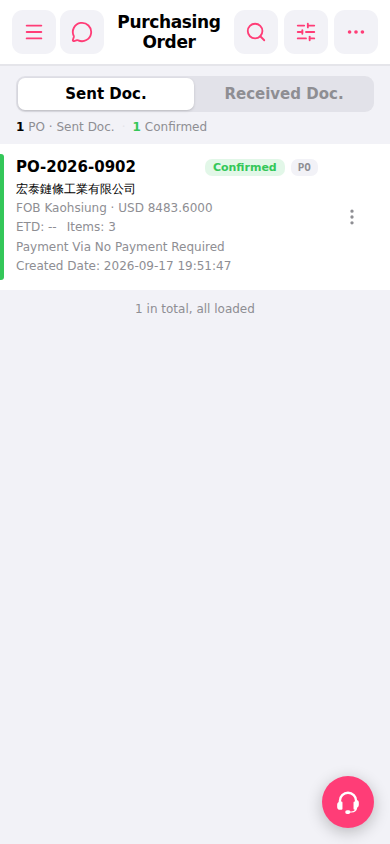 手機版|Purchasing Order(採購訂單)