
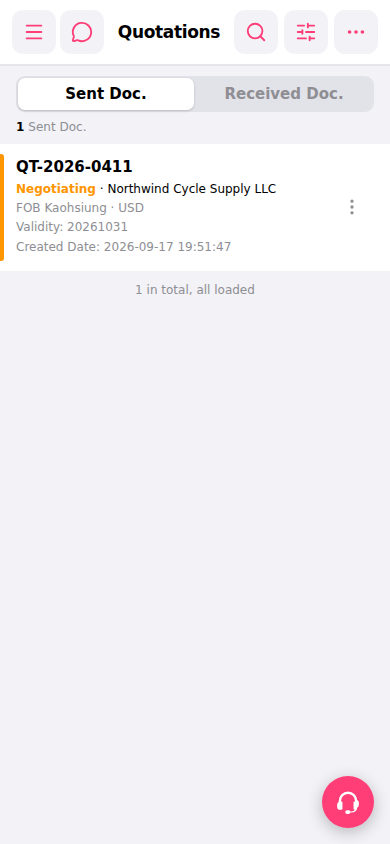
1. Open mobile Patisco and go to the "Quotations" page from the bottom menu. 2. The page will default to the left side of the top tab bar "Sent Doc.", which lists all sent quotations. 3. In the list, you can directly see the number, status, customer name, trading condition, currency, validity period, and creation date of each quotation. 4. Click any quotation (for example, QT-2026-0411) to enter the detailed page and view the full content.
 手機版|報價單管理(Quotations)