
Search for quotations: 1. Enter the quotation number (Quotation No.) in the search field at the top of the page to query directly. 2. Or use the "Buyer Listing" filter to select a specific buyer, and you can also set "Start date" and "End date" date ranges to narrow down the results. 3. After selecting the quotation row in the list by clicking the checkbox, you can click "details" to view details, "Confirm" to confirm, or "Delete" to delete.
Export to Excel: 1. After filtering the data you want to export, click the "Download Excel." button in the upper right corner of the list. 2. The system will download the current list data as an Excel file.
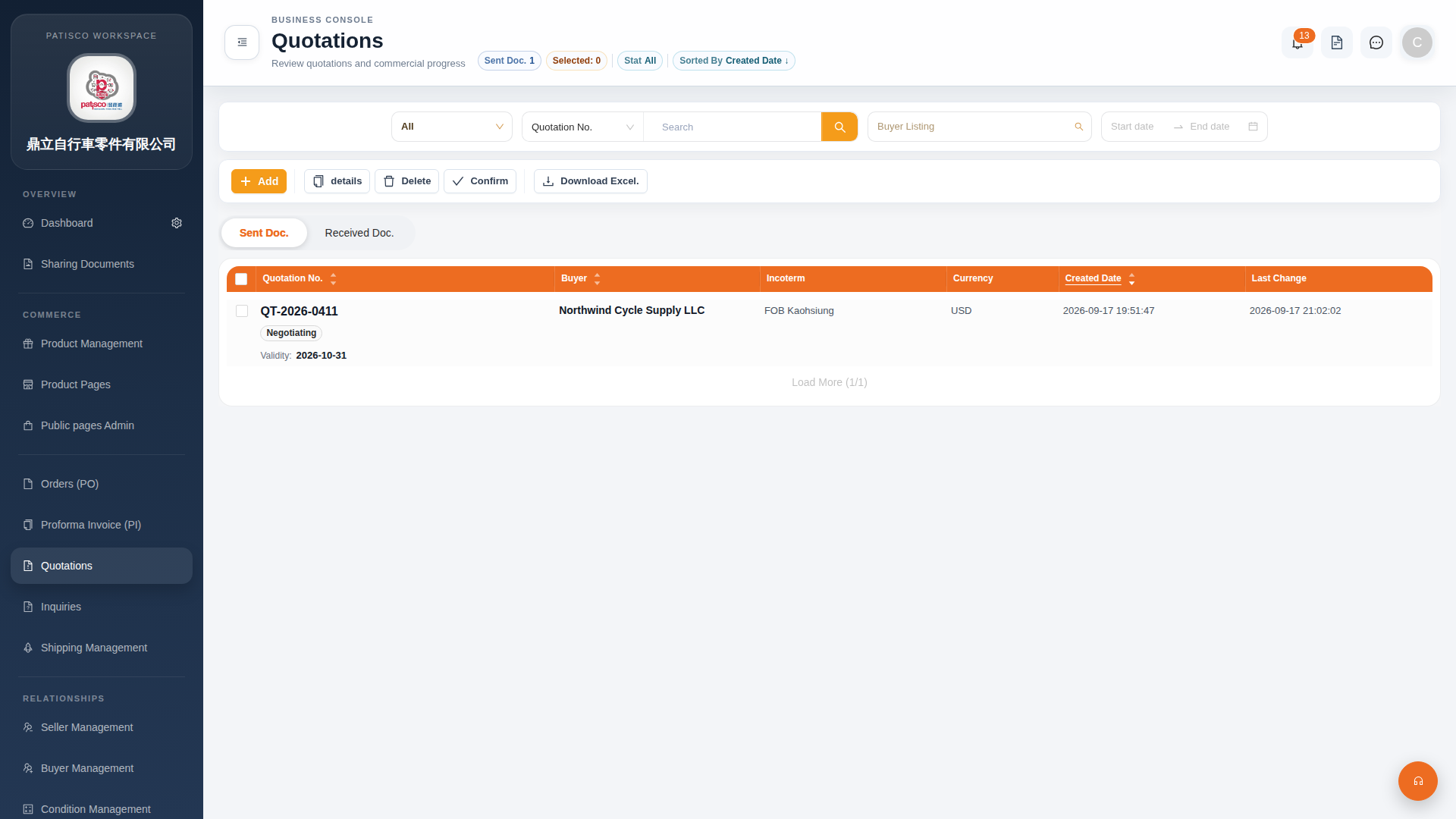 G4 桌面版|Quotations(報價單管理)