
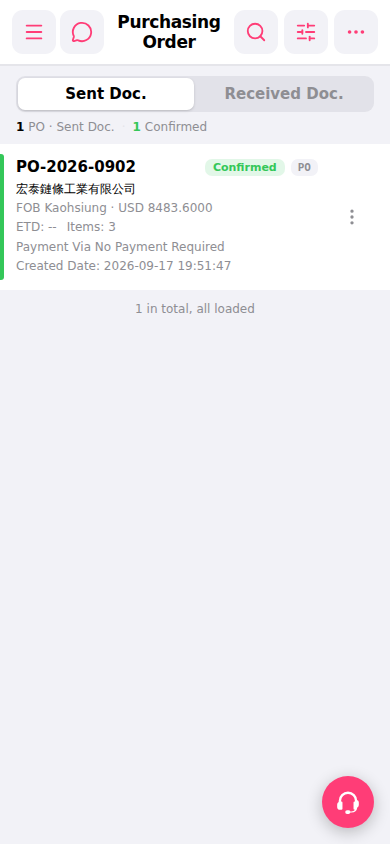
1. Search: Click the magnifying glass icon (search) at the top right and enter keywords to find a specific purchase order. 2. Filter: Click the filter icon (adjustment icon) at the top right to narrow the display by conditions such as status or date. 3. More options: Click the "⋯" icon (more options) at the top right to expand additional functions. 4. Single order operations: Click the "⋮" (vertical three dots) icon on the right side of an order card to expand the operation menu for that order (such as edit, delete, etc.). 5. View full information: Click directly on the order card itself to enter the detailed page for that purchase order.
 手機版|Purchasing Order(採購訂單)