
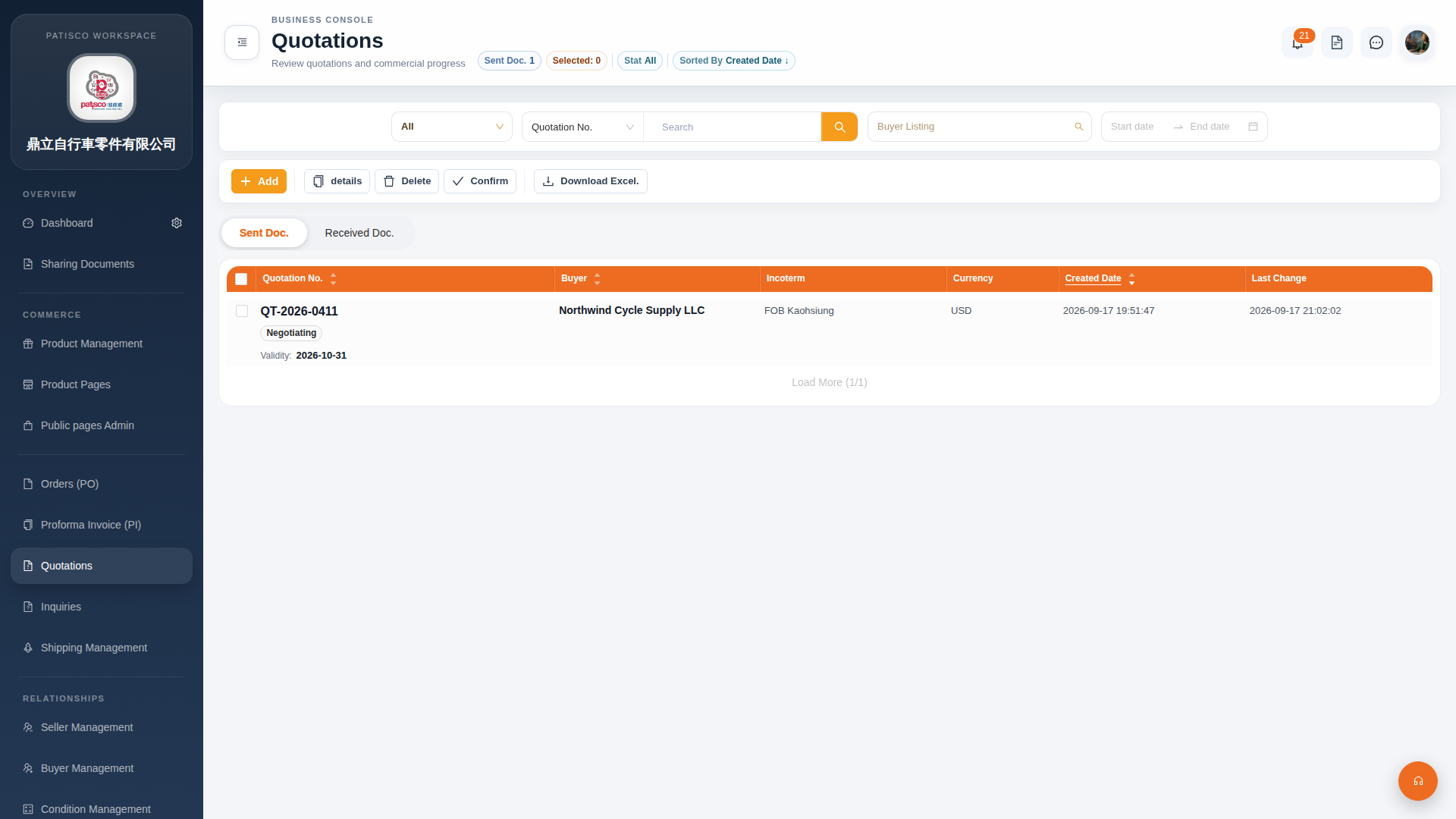
After entering the Quotation management (Quotations) page, you can use the following main features: 1. Click "Quotations" in the left sidebar to access this page. 2. There are five action buttons on the upper left of the page: - "Add": Create a new quotation - "details": View detailed information of the selected quotation - "Delete": Delete the selected quotation - "Confirm": Confirm the selected quotation - "Download Excel.": Export the list as an Excel file 3. The page is divided into two tabs: "Sent Doc." (Sent) and "Received Doc." (Received). Click the tab label to switch between them. 4. Use the filter row at the top to search by "Quotation No.", set a date range from "Start date" to "End date", or filter by a specific buyer through "Buyer Listing".
 G4 桌面版|報價單管理(Quotations)