
All of the following operations are performed on the left side above the "Quotations" list:
Add Quotation 1. Click the orange "+ Add" button. 2. Fill in the relevant quotation information and save.
View Quotation Details 1. Check the checkbox on the left side of your target quotation in the list (the Selected number will update). 2. Click the "details" button to view the complete content.
Confirm Quotation 1. Check the target quotation. 2. Click the "Confirm" button, and the status will be updated to confirmed.
Delete Quotation 1. Check the quotation you want to delete. 2. Click the "Delete" button, and confirm to complete the deletion.
Export List 1. Click "Download Excel." to download the current list data as an Excel file.
Search and Filter: You can filter quotations using the search bar at the top (by Quotation No. and other fields), Buyer Listing, and date range.
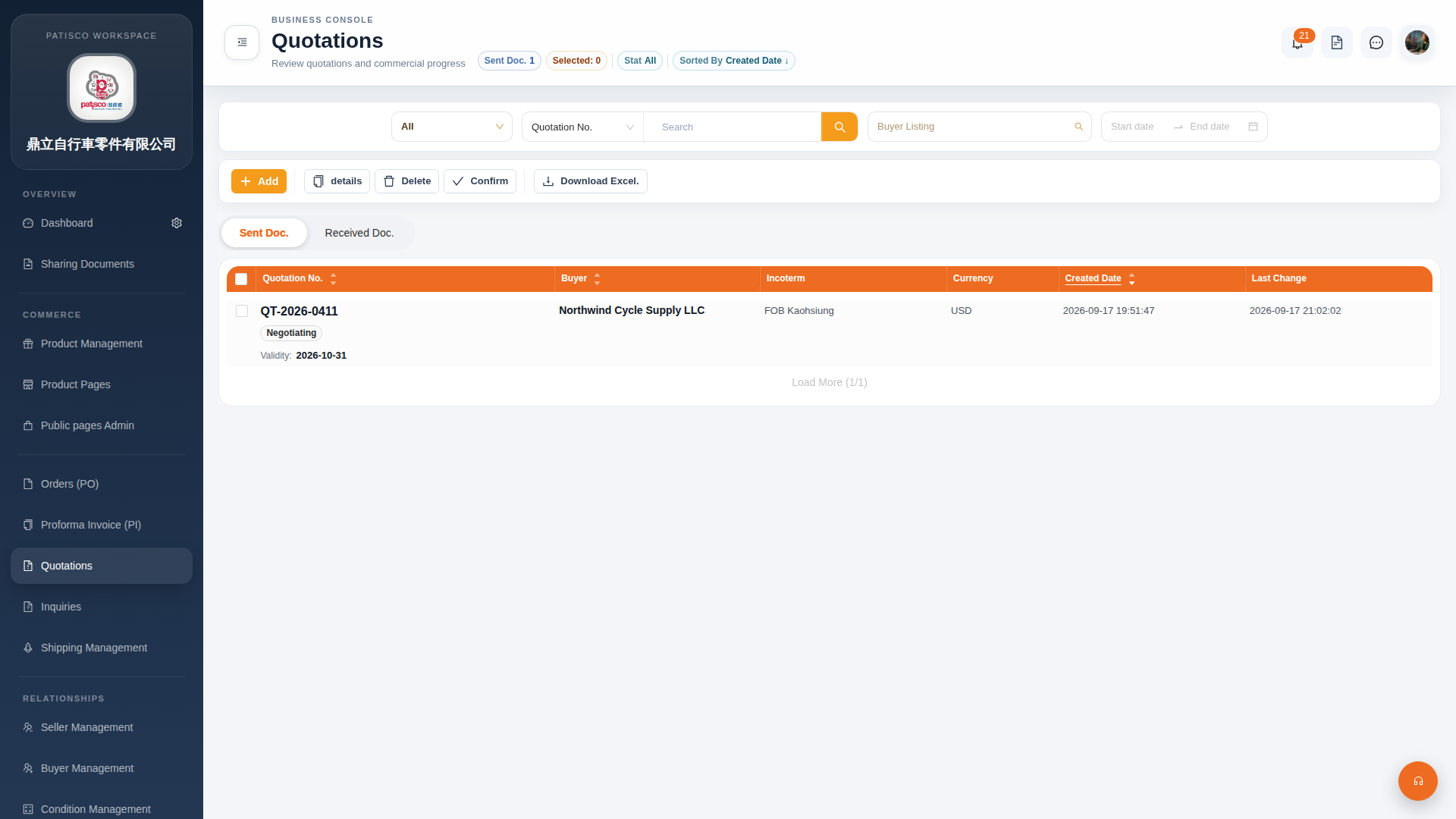 G4 桌面版|Quotations(報價單管理)