
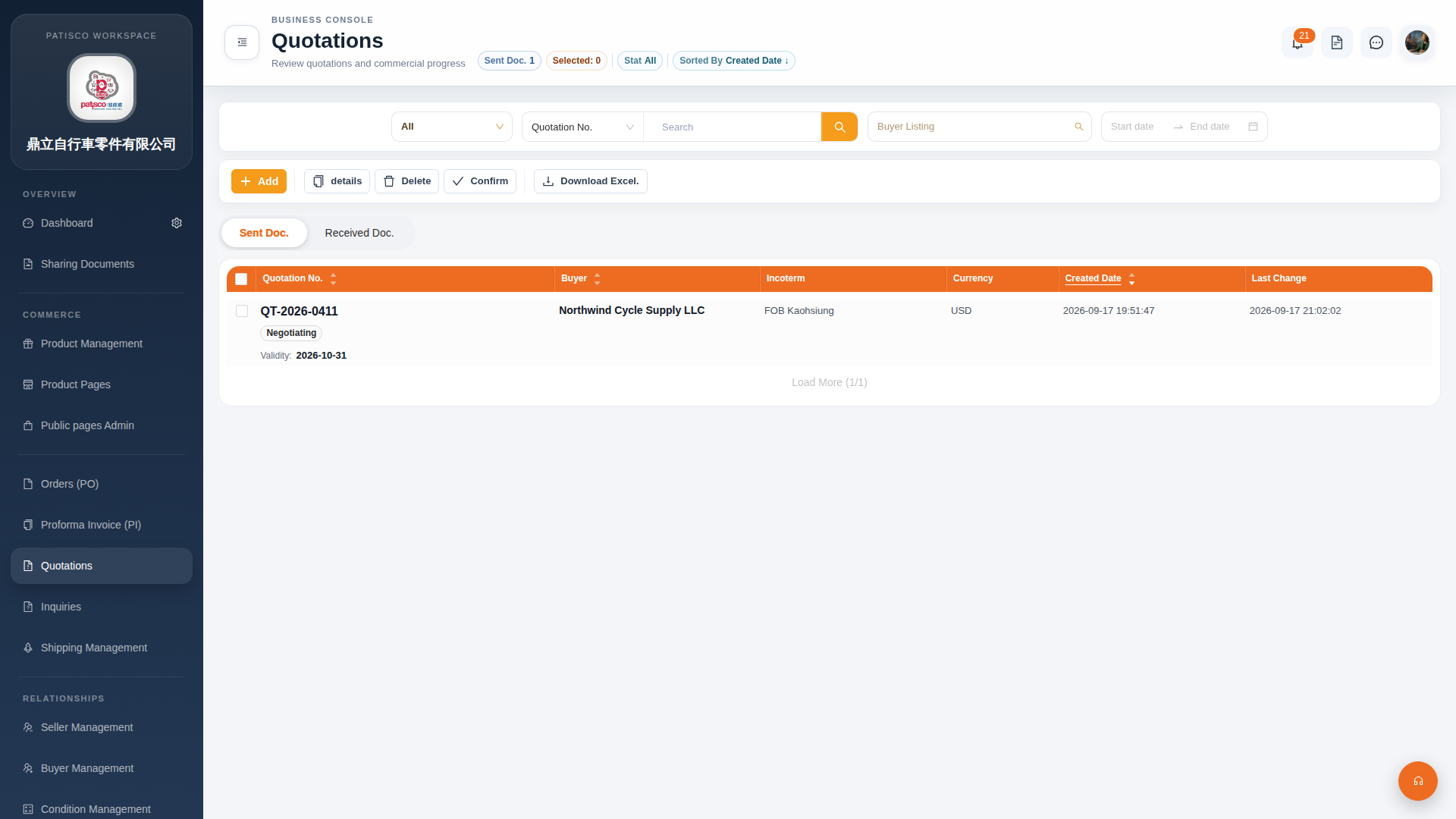
Here are the steps to view or confirm a quotation:
[View Detailed Content] 1. In the Quotation management (Quotations) list, check the checkbox on the left side of the row for the target quotation. 2. Click the "details" button at the top to view the complete information of that quotation.
[Confirm a Quotation] 1. Similarly, check the checkbox for the target quotation in the list. 2. Click the "Confirm" button at the top. The system will update the status of that quotation to confirmed.
Tip: If you need to view a quotation you received (rather than one you sent), first click the "Received Doc." tab to switch the list.
 G4 桌面版|報價單管理(Quotations)