
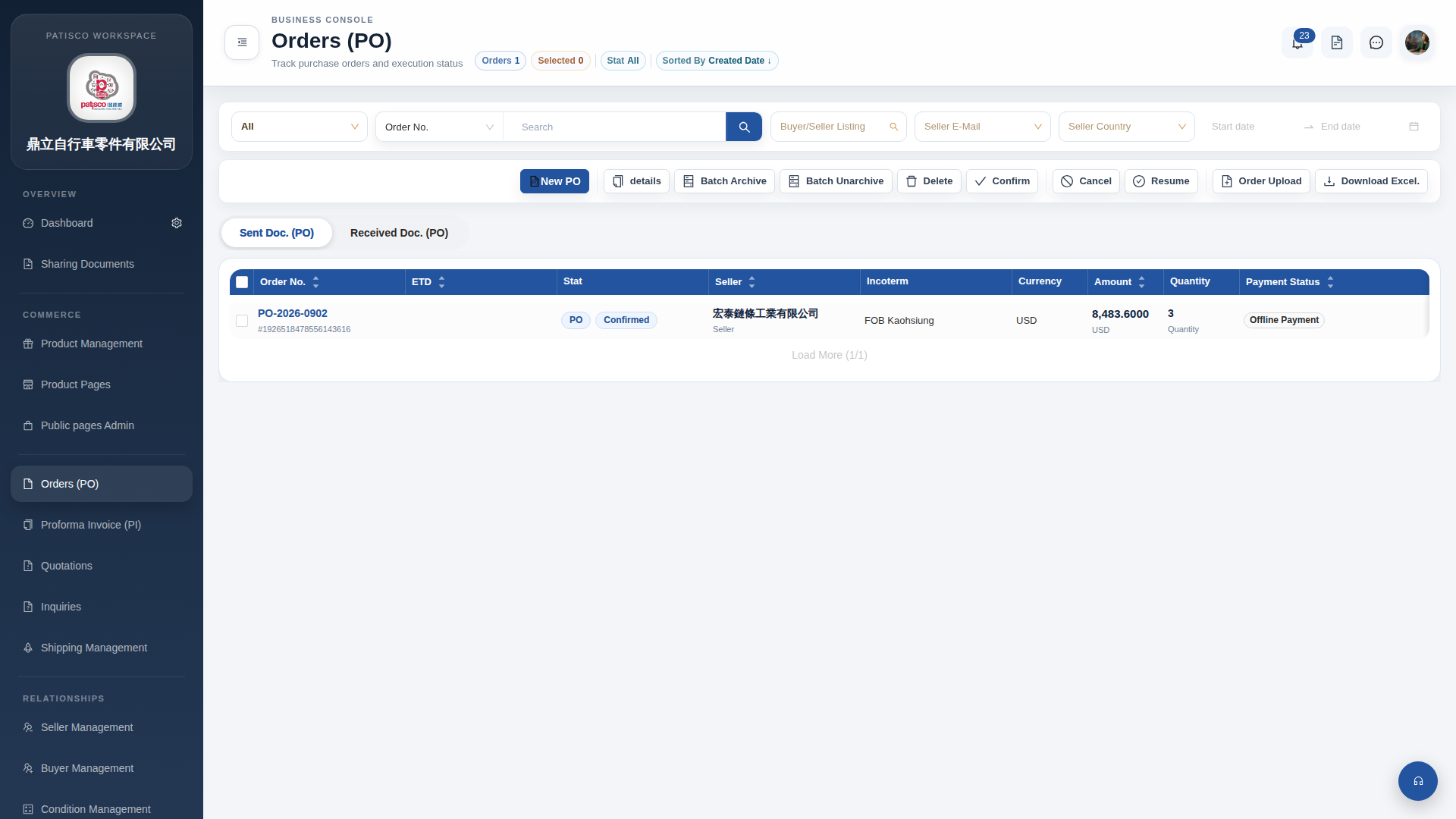
1. On the "Orders (PO)" list page, check the checkbox on the left side of each order list to select the orders you want to operate on. 2. After selecting, click the corresponding action button in the toolbar: - "Confirm": Batch confirm selected orders - "Batch Archive": Batch archive selected orders - "Batch Unarchive": Batch unarchive selected orders - "Delete": Batch delete selected orders - "Cancel": Batch cancel selected orders 3. If you need to search for a specific order before performing operations, you can first use the filter bar at the top to select a field (such as Order No.), enter keywords, and click the search icon to filter the target order, then check and operate.
 G4 桌面版|訂單管理 (Orders PO)