
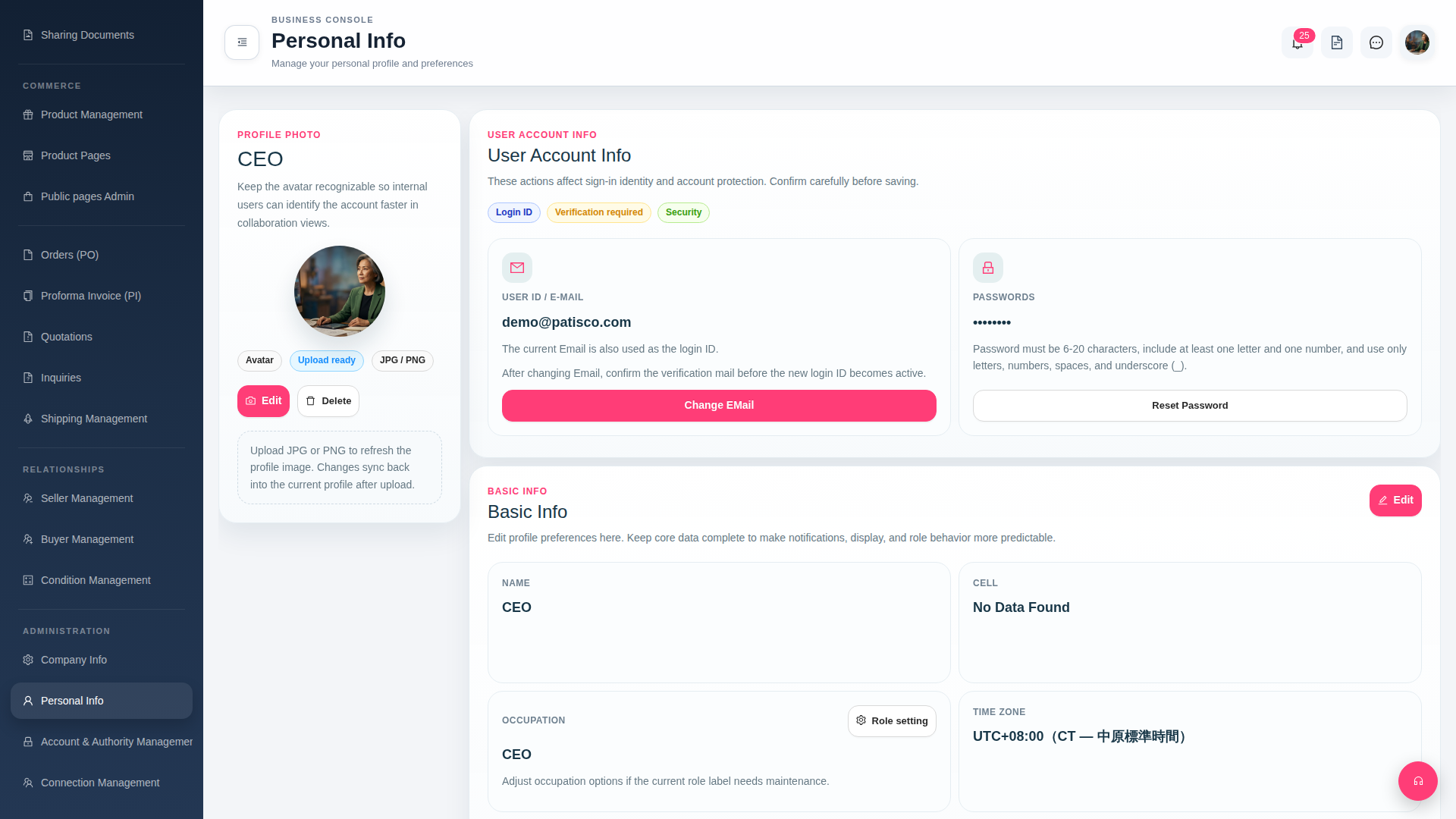
Change login email: 1. In the "User Account Info" section on the "Personal Info" page, find the "USER ID / E-MAIL" field. 2. Click the red "Change EMail" button below the field. 3. Enter your new email and confirm. The system will send a verification email. After verification, the new email becomes your login ID.
Reset password: 1. In the same section, find the "PASSWORDS" field. 2. Click the "Reset Password" button and set a new password according to the instructions (6–20 characters, must contain both letters and numbers).
Edit name, phone number, occupation, and time zone: 1. Click the pink "Edit" button in the upper right corner of the "Basic Info" section. 2. In edit mode, fill in or update the NAME, CELL, OCCUPATION, TIME ZONE, and other fields, then save. 3. To adjust occupation role labels, click the "Role setting" button on the right side of the OCCUPATION field to access the role label maintenance page.
 G4 桌面版|Personal Info