
1. After entering the "Shipping Management" page, confirm whether the "Stat Preparing" filter at the top meets your needs. If adjustment is needed, click that tab to switch. 2. Enter the shipping document number (Shipping Document No.) or other keywords in the search bar, then click the magnifying glass button on the right to perform the search. 3. Search results will be displayed in the list below, with fields including Shipping Document No., Buyer, Stat, ETD, Incoterm, Build Date, etc. Click a specific row to enter the detailed editing page. 4. If you want to sort by date, click the "Build Date" in the rightmost column of the table header to toggle ascending/descending order.
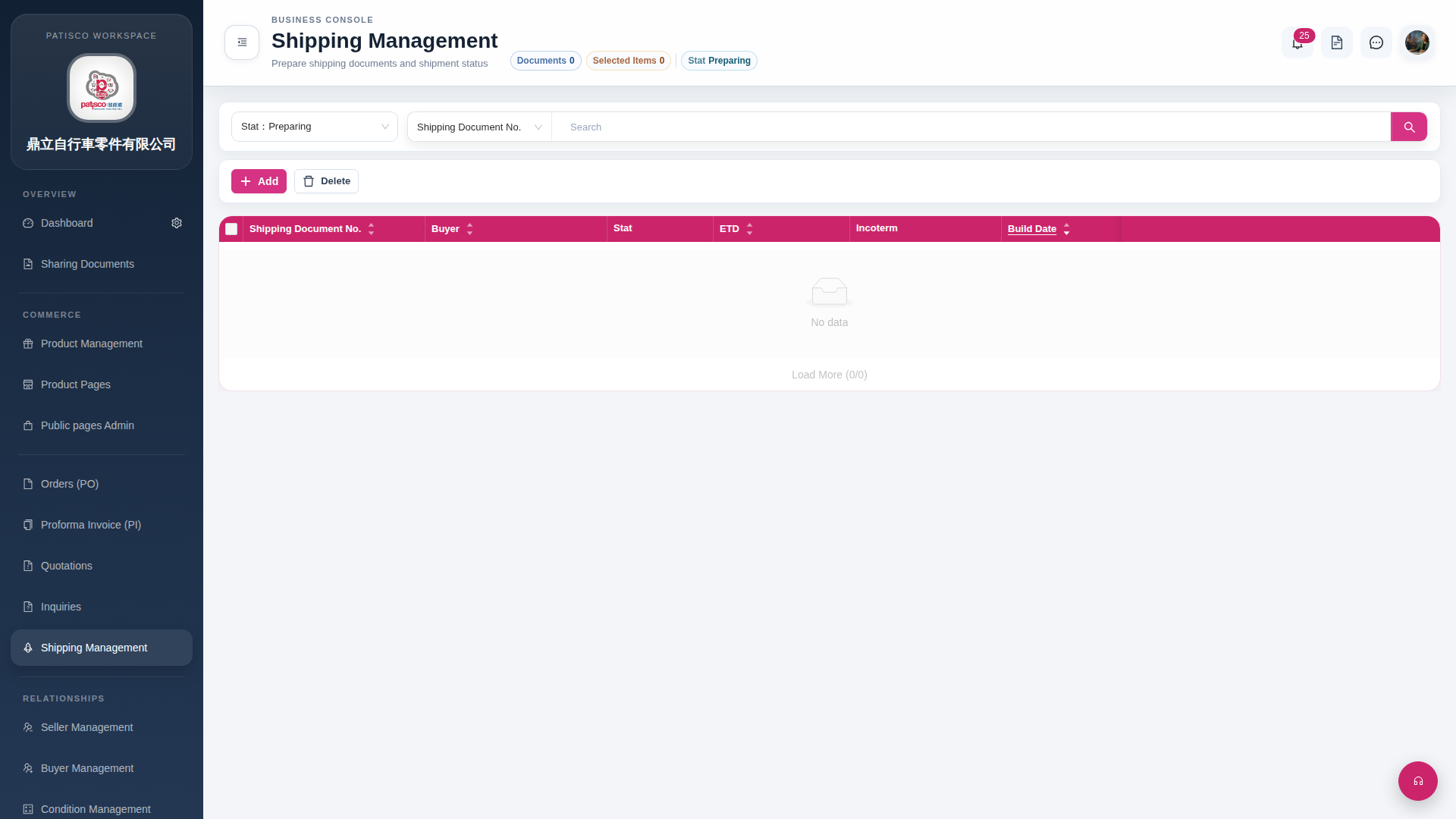 G4 桌面版|Shipping Management