
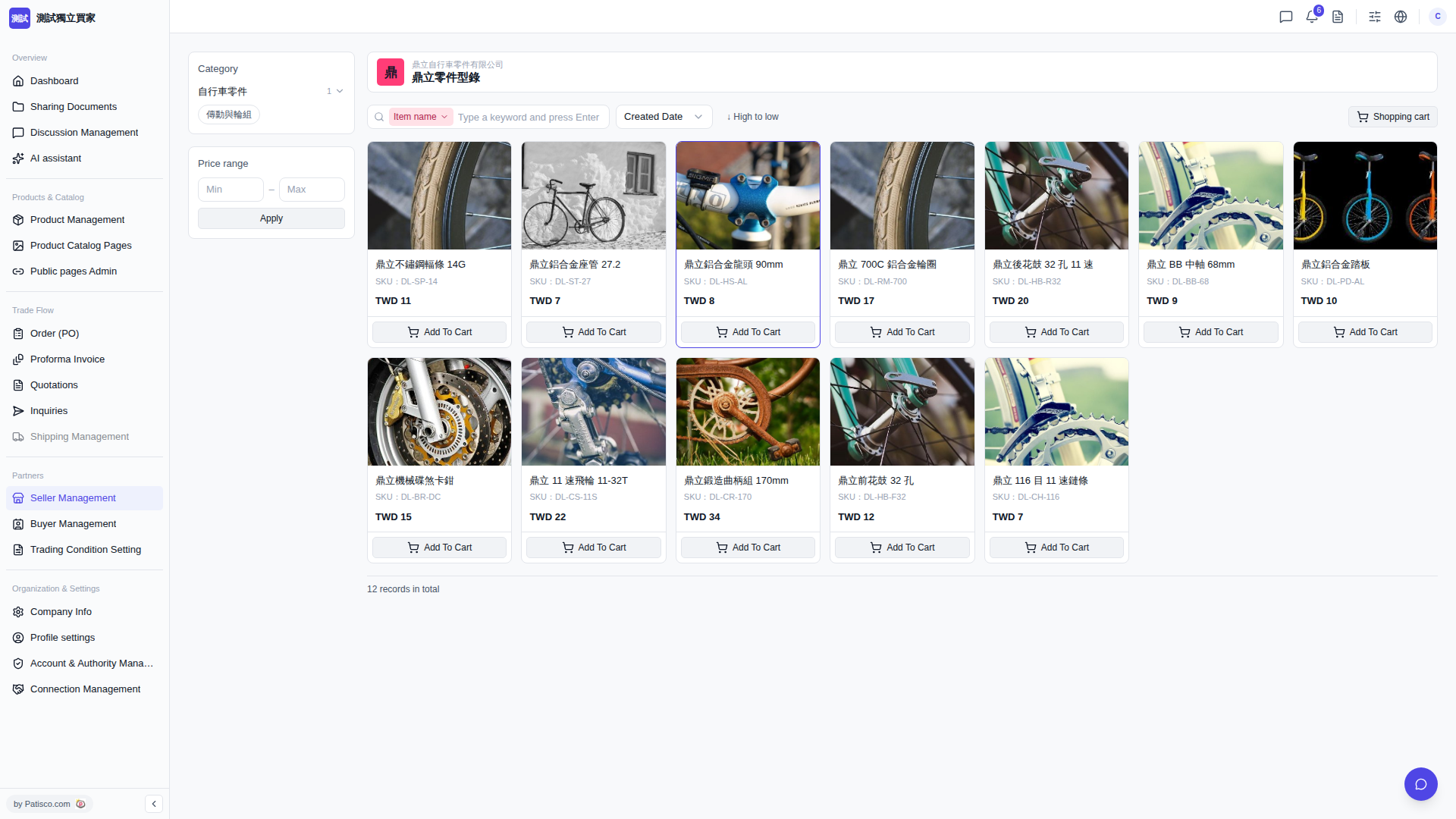
1. Find your target product in the product list (for example, "Ding Li Stainless Steel Spoke 14G, SKU: DL-SP-14, TWD 11"). 2. Click the "Add To Cart" button directly on the product card, and the product will be added to your shopping cart. 3. After adding, you can click "Shopping cart" on the page to view the items you have added.
AI Assistant Reference - You can ask like this: "What specifications of spokes are available in this catalog?" - The AI might respond: The AI will list the spoke item names, SKUs, and prices currently displayed in the catalog for your reference.
 V5 新桌面版|buyer.catalog.open